
TL;DR:
- Solo creators should focus on one tool that matches their primary need, like SEO or social media, before layering in more. Building a consistent workflow with an integrated AI platform and a clear brand voice accelerates publishing and growth. Testing tools during trial periods and establishing a feedback habit ensures better results and more authentic content.
If you’re a solo creator trying to publish more without burning out, the short answer is this: use an integrated all-in-one platform (like Jasper or ChatGPT) if you need to draft, edit, and repurpose in one place; go SEO-first (Surfer SEO, Frase, or Scalenut) if ranking on Google is your primary goal; and grab a lightweight assistant (Rytr, QuillBot, or Copy.ai) if social captions and short-form copy are your daily grind. The AI writing tools for content creators covered here were selected based on workflow fit for solo operators, integration surface, memory and persona features, SEO capabilities, pricing transparency, and free-trial availability.
TL;DR shortlist:
- Best first try: ChatGPT (free plan, versatile, huge plugin ecosystem)
- Best for SEO content: Surfer SEO (SERP-driven optimization built into the draft)
- Best for social and short-form: Copy.ai (fast, template-heavy, built for volume)
- Best budget pick: Rytr (free tier, simple, no learning curve)
Consistent posting with a voice-trained workflow compounds reach over time, according to GhostLoop’s automation research. That’s the whole game. Pick one tool, build the habit, then layer in more.
How the top AI writing tools compare side by side
The table below covers the tools most relevant to solo creators and small content teams. Pricing reflects publicly listed plans at the time of this review.
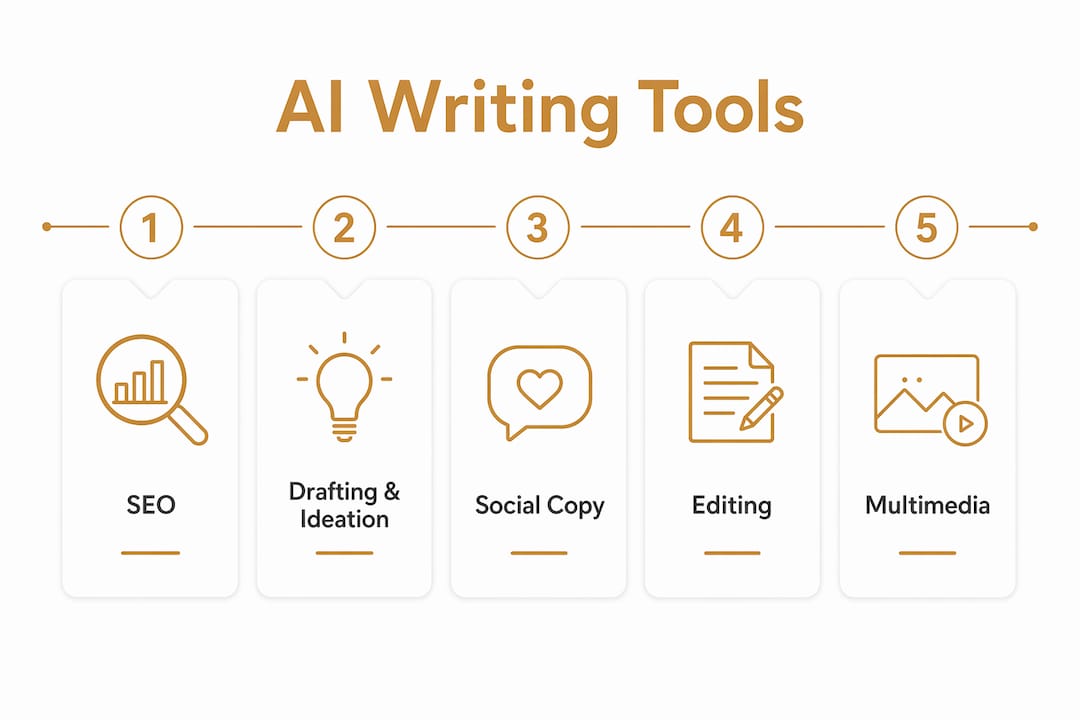
| Tool | Best for | Key features | Free trial | SEO features | Integrations | Ease of use | Collaboration | Language support |
|---|---|---|---|---|---|---|---|---|
| Yoursolobusiness AI Toolkit | Solopreneurs wanting guided AI adoption | Prompt libraries, checklists, workflow playbooks | Free resources available | Content strategy guidance | Works alongside any tool | Very easy | Solo-focused | English |
| ChatGPT | Flexible drafting and ideation | Conversational drafting, plugins, broad model support | Free plan (GPT-3.5) | Basic keyword insertion | Zapier, API, browser | Very easy | Limited on free | 170+ languages |
| Jasper | Marketing copy and long-form | team-ready, brand voice | free tier available | SEO mode, Surfer integration | Google Docs, Zapier, CMS | Moderate | Strong team features | 30+ languages |
| Surfer SEO | Long-form SEO articles | SERP analysis, content score, NLP keywords | free tier available | Core feature | Google Docs, WordPress, Jasper | Moderate | Team plans | 20+ languages |
| Copy.ai | Social captions and ad copy at scale | Short-form templates, workflows, brand voice | Free plan (2,000 words/mo) | Limited | Zapier, API | Very easy | Team workspaces | — |
| Grammarly | Editing, tone, and clarity | Grammar, tone, clarity, plagiarism check | Free plan | Readability suggestions | Browser, Google Docs, Word | Very easy | Team style guides | English primary |
| Frase | SEO briefs and research | SERP research, brief generation, AI drafting | 5-day trial ($1) | Core feature | Google Docs, WordPress | Moderate | Team plans | English primary |
| WriteSonic | Affordable multi-use copy | Article writer, landing pages, chatbot | Free plan (10k words/mo) | SEO mode | Zapier, API, WordPress | Easy | Team seats | — |
| Rytr | Budget-conscious short-form | use case selection, tone picker | Free plan (10k chars/mo) | Basic | API | Very easy | Limited | 30+ languages |
| Notion AI | In-workspace drafting | Summarize, draft, Q&A inside Notion | Add-on ($10/mo) | None | Notion ecosystem | Very easy | Strong | 10+ languages |
| Canva AI | Visual + copy in one workflow | Magic Write, text-to-image, design templates | Free plan | None | Canva ecosystem | Very easy | Team plans | 100+ languages |
| Descript | Podcast and video scripts | Transcription, overdub, text-based video editing | Free plan | None | Zapier, publishing | Moderate | Team plans | English primary |
| Sudowrite | Fiction and creative writing | Story engine, beat sheet, rewrite tools | 3-day trial | None | Limited | Easy | Limited | English |
| Anyword | Performance-scored ad copy | Predictive performance scoring, A/B variants | free tier available | Basic | Zapier, API | Moderate | Team plans | 30+ languages |
| QuillBot | Paraphrasing and summarizing | Paraphrase modes, summarizer, grammar check | Free plan | None | Browser, Google Docs, Word | Very easy | Limited | 30+ languages |
| Scalenut | SEO content for small teams | Keyword planner, cruise mode, NLP terms | free tier available | Core feature | WordPress, Google Docs | Moderate | Team plans | English primary |
| GrowthBar | Keyword research + outlines | Keyword data, AI outlines, blog writer | 5-day trial | Core feature | WordPress | Easy | Limited | English primary |
| ProWritingAid | Deep stylistic editing | Style reports, readability, consistency checks | Free plan | None | Google Docs, Word, Scrivener | Moderate | Limited | English |
| Headline Studio | Headline optimization | Headline scoring, word balance, SEO score | Free plan | Headline SEO | WordPress | Very easy | Limited | English |
| Ocoya | Social scheduling + AI captions | Caption generation, scheduling, analytics | free tier available | None | 35+ social platforms | Easy | Team plans | — |
| Murf | AI voiceovers for video/courses | 120+ voices, studio editor, sync to video | Free plan | None | API, Canva | Easy | Team plans | 20+ languages |
| Pictory | Short clips from long content | Auto-captions, clip extraction, branding | 3 free videos | None | Zapier | Easy | Team plans | English primary |
| Lumen5 | Text-to-video repurposing | Blog-to-video, templates, brand kit | Free plan | None | RSS, Zapier | Easy | Team plans | English primary |
| InVideo | Social video from scripts | 5,000+ templates, AI script-to-video | Free plan | None | Zapier | Easy | Team plans | 170+ languages |
| Synthesia | Script-to-video with AI avatars | 140+ avatars, 120+ languages, screen recorder | Free plan (3 videos/mo) | None | API, Zapier | Easy | Team plans | 120+ languages |
| Chibi AI | Custom persona-driven writing | Custom AI personas, document memory, model choice | Free trial | None | Limited | Easy | Limited | English primary |
| Zapier AI | Connecting AI to publishing workflows | — | Free plan | None | Everything | Moderate | Team plans | English primary |
| HubSpot AI | Marketers on HubSpot | CRM-native drafting, personalization, email | Free tools | Basic | HubSpot ecosystem | Easy | Strong | 6+ languages |
| Outranking | Structured SEO content workflows | SERP-driven outlines, optimization, publishing | free tier available | Core feature | WordPress, Google Docs | Moderate | Team plans | English primary |
| NeuronWriter | Data-backed SEO optimization | SERP scoring, NLP terms, content briefs | Free plan | Core feature | WordPress, Google Docs | Moderate | Team plans | 170+ languages |
| INK For All | Inline SEO guidance while drafting | Real-time SEO score, AI writer, paraphrase | Free plan | Core feature | WordPress | Easy | Limited | English primary |
| Describely | Product descriptions at scale | Batch generation, ecommerce templates | Free plan | Basic | Shopify, WooCommerce | Easy | Team plans | English primary |
| Hypotenuse | Ecommerce product content | Bulk product descriptions, brand voice | free tier available | Basic | Shopify, API | Easy | Team plans | English primary |
| Article Forge | Bulk automated article generation | One-click articles, bulk mode | 5-day trial | Basic | WordPress, API | Very easy | Limited | — |
| AI-Writer | Quick drafts with references | Draft generation, source citations | free tier available | Basic | API | Very easy | Limited | English primary |
| Reword | Repurposing long content to social | Snippet extraction, social post generation | Free trial | None | Limited | Easy | Limited | English primary |
| Kontent.ai | Enterprise headless CMS + AI | Content modeling, AI assist, API-first | Free plan | None | — | Complex | Strong | 30+ languages |
| ParagraphAI | Lightweight in-editor assistance | In-line generation, tone adjustment | Free plan | None | Browser, mobile | Very easy | Limited | 30+ languages |
| ClosersCopy | Sales funnels and persuasion copy | Persuasion frameworks, swipe file, long-form | Lifetime deal available | None | Limited | Moderate | Limited | English primary |
| NeuralText | Keyword-to-draft SEO workflows | Keyword clustering, SERP data, AI drafting | 5-day trial | Core feature | Google Docs | Moderate | Limited | English primary |
| Anyword | Conversion-focused ad copy | Performance prediction, copy variants | free tier available | Basic | Zapier, API | Moderate | Team plans | 30+ languages |
| GWI Spark | Audience research for content ideation | Consumer insights, trend data, topic angles | Demo required | None | API | Moderate | Team plans | English primary |
| DALL·E | Custom images for written content | Text-to-image, style control, editing | Via ChatGPT Plus | None | ChatGPT, API | Easy | Limited | English prompts |
| Scalenut | Research-to-content SEO workflow | Cruise mode, keyword planner, NLP | free tier available | Core feature | WordPress | Moderate | Team plans | English primary |
| Peppercontent | AI + managed content services | Marketplace, AI tools, human review | Free trial | Basic | API | Moderate | Strong | English primary |
Quick pricing signals:
- Free tiers worth using: ChatGPT (GPT-3.5), Grammarly, Copy.ai, Rytr, WriteSonic, Canva, QuillBot, Notion AI (add-on), Pictory (3 videos), Synthesia (3 videos)
- Paid starter range: Most tools land between $9–$49/month at the starter tier
- SEO-first tools (Surfer SEO, Frase, Scalenut, Outranking) typically start at $15–$49/month
- Enterprise or team plans (Kontent.ai, HubSpot AI, Jasper) scale significantly beyond $100/month
For detailed profiles on each tool, the next section breaks them down by creator need.
Detailed profiles: which tool fits your content workflow?
Rather than giving every tool identical treatment, the profiles below are grouped by creator need and weighted by how much there is to say. Thin tools get a sentence; tools with real workflow depth get a paragraph.
SEO and long-form content
Surfer SEO is the clearest choice for creators whose primary goal is ranking. It pulls live SERP data, scores your draft against top-ranking pages, and suggests NLP keywords inline. The SERP-driven content workflow it represents, combining structure suggestions with one-click CMS publishing, is what separates it from generic AI writers. Pair it with Jasper or ChatGPT for the draft, then run the Surfer pass before publishing.
Frase takes a slightly different angle: it builds the research brief first, pulling competitor headings and questions from the SERP, then lets you draft inside that brief. Writers who struggle with outlines will find this order of operations genuinely useful.
Scalenut and Outranking follow similar research-to-draft patterns. Scalenut’s “Cruise Mode” walks you through keyword selection, outline, and draft in a single session. Outranking leans harder into structured workflows and is better suited to teams with defined content processes.
GrowthBar is the lightest SEO tool on this list. It pulls keyword data and generates a basic outline, then hands off to a simple AI writer. Good for creators who want keyword guidance without the full Surfer learning curve.
NeuronWriter and INK For All both offer real-time SEO scoring as you write. NeuronWriter supports 170+ languages, which matters if your audience isn’t English-first. INK For All’s inline scoring is particularly useful for creators who want feedback without leaving the draft.
NeuralText combines keyword clustering with AI drafting in one tab. It’s a solid middle ground between a pure research tool and a full AI writer.
Pros (Surfer SEO): SERP-grounded scoring, strong CMS integrations, clear content structure guidance
Cons: Requires a separate AI writer for drafting; pricing jumps sharply at higher plan tiers
Pros (Frase): Research-first workflow, brief generation is fast and accurate
Cons: AI writing quality is functional but not exceptional; English-primary
All-in-one drafting and ideation
ChatGPT remains the most flexible tool on this list. The free plan runs on GPT-3.5; a $20/month Plus subscription unlocks GPT-4, image generation via DALL·E, and a growing plugin library. For a solo creator, the conversational interface is its biggest advantage: you can iterate on tone, restructure a section, or brainstorm ten angles in a single thread. The caveat is that you need good prompts to get good output, which is exactly where a resource like the Yoursolobusiness AI Toolkit earns its place.

Jasper is ChatGPT with guardrails and a marketing template library. Its brand voice feature stores your tone and style so every output sounds like you, not a generic AI. The Surfer SEO integration means you can draft and optimize in one platform. It’s the strongest pick for creators who want a structured, team-ready workflow without stitching tools together themselves.
WriteSonic sits between Rytr and Jasper on the price-to-feature curve. It handles landing pages, articles, and social copy with a clean interface and a generous free tier. Not the deepest tool, but it covers a lot of ground affordably.
Notion AI is worth calling out separately. If you already live in Notion for notes, project management, and content calendars, the AI add-on ($10/month) lets you draft, summarize, and brainstorm without switching tabs. The integrated workflow that keeps ideation, drafting, and publishing in one surface is what delivers the highest ROI for solo creators.
Chibi AI is a smaller tool with a genuinely useful feature: custom AI personas with document-level memory. You can store your brand voice, audience profile, and key messaging once, then every session picks up where the last left off. Transparent model choice also lets you control costs by selecting which underlying model runs your prompts.
Pros (ChatGPT): Free entry point, versatile, massive integration ecosystem
Cons: No built-in SEO features; output quality depends heavily on prompt quality
Pros (Jasper): Strong brand voice, Surfer integration, team-ready
Cons: Expensive at scale; template-heavy interface can feel rigid for creative work
Social and short-form copy
Copy.ai is built for volume. Its workflow builder lets you chain prompts together so a single input generates a blog intro, three social captions, and an email subject line simultaneously. The free plan covers 2,000 words per month, enough to test whether the output quality matches your voice.
Rytr is the simplest tool on this list. Pick a use case, pick a tone, hit generate. The free tier gives you 10,000 characters per month. For a creator just starting with AI writing, Rytr removes every barrier to entry.
Ocoya adds scheduling to the mix. You generate captions and then push them directly to 35+ social platforms from the same dashboard. For creators managing multiple channels, that combination of AI copy generation and scheduling in one tool is a real time-saver.
Headline Studio by CoSchedule does one thing: scores your headlines. It analyzes word balance, emotional impact, and SEO value, then suggests improvements. Free plan available. Every creator publishing blog posts or email newsletters should run their titles through it.
Anyword takes a performance-prediction angle. It scores copy variations by predicted click-through and conversion rate before you publish. Useful for creators running paid ads or A/B testing email subject lines.
Pros (Copy.ai): Fast, template-rich, good free tier
Cons: Output can feel generic without careful prompting; limited SEO features
Editing and grammar
Grammarly is the default editing layer for most creators, and for good reason. The browser extension and Google Docs integration mean it works wherever you write. Beyond grammar, its tone detector flags when a sentence reads as passive-aggressive or overly formal, which matters when you’re writing in a personal brand voice. The free AI writer also generates drafts from a prompt, making it more than just an editor.
ProWritingAid goes deeper on style. Its reports flag overused words, sentence length variation, pacing issues, and readability scores. Authors writing long-form content (courses, ebooks, newsletters) will get more out of ProWritingAid than Grammarly.
QuillBot is the go-to for paraphrasing and summarizing. Paste in a dense paragraph and it returns five rewrite options at different formality levels. The summarizer is useful for condensing research before drafting.
Multimedia: video, audio, and visuals
Descript is the standout for podcast and video creators. You edit audio and video by editing the transcript, which means cutting filler words is as simple as deleting text. The overdub feature lets you fix a mispronounced word by typing the correction. For creators repurposing long-form audio into clips, Descript is hard to beat.

Synthesia turns a script into a talking-head video using AI avatars. With 140+ avatars and 120+ languages, it’s the fastest way to produce training videos or explainers without a camera.
Murf handles voiceovers. Its 120+ synthetic voices are among the most natural-sounding available, and the studio editor lets you sync narration to video timelines.
Pictory and Lumen5 both convert written content into short videos. Pictory is better at extracting clips from existing long-form video; Lumen5 is better at turning a blog post into a branded video from scratch.
InVideo offers 5,000+ templates and an AI script-to-video workflow. It’s the most accessible entry point for social video creators who don’t have video editing experience.
DALL·E, accessed through ChatGPT Plus or the API, generates custom images from text prompts. For creators who need a featured image or social graphic without a designer, it’s the fastest option.
Sudowrite stands apart from every other tool here. It’s built for fiction writers, with tools for beat sheets, story engines, and alternate phrasings. The core philosophy, treating AI as a co-creator that offers options rather than finished copy, is the right mental model for any creative work.
Specialized and workflow tools
Zapier AI connects your AI writing tools to the rest of your publishing stack. Draft in ChatGPT, push to Notion, trigger a WordPress post, and notify your email list, all without manual steps. For creators building a full publishing pipeline, Zapier is the connective tissue.
HubSpot AI is only relevant if you’re already on HubSpot. The CRM-native drafting and email personalization features are genuinely useful for marketers, but the platform cost makes it a poor choice for solo creators who aren’t already paying for the suite.
Kontent.ai is enterprise-grade headless CMS territory. Unless you’re managing content at scale across multiple channels and teams, it’s overkill.
GWI Spark is a consumer insights platform that helps you discover what your audience actually cares about before you write a word. For creators who tend to chase trends without a strategy, it’s a useful reality check.
Describely (formerly Copysmith) and Hypotenuse both target ecommerce creators who need product descriptions at scale. Describely’s batch generation is the faster option for large catalogs.
Article Forge and AI-Writer automate bulk article generation. Both require careful editing before publishing; treat their output as a first draft, not a finished piece.
Peppercontent pairs AI tools with a managed content marketplace, so you can use AI for speed and human writers for quality control. It’s a hybrid model that suits creators who want scale without sacrificing editorial standards.
ClosersCopy is built for direct-response copywriters. Its persuasion frameworks and swipe file are useful for sales pages and email sequences, less so for editorial content.
ParagraphAI and Reword are lightweight assistants. ParagraphAI handles in-line drafting support; Reword specializes in repurposing long articles into social snippets.
Pro Tip: Before committing to any paid plan, check the tool’s data-use policy. Some platforms train their public models on user content by default. Look for an explicit opt-out or a business plan that excludes your content from training data.
How to choose the right AI writing tool for your workflow
The market is crowded enough that picking the wrong tool costs you more time than it saves. Here’s a practical framework for narrowing the field.
Core evaluation criteria
- Workflow fit: Does the tool integrate with where you already work? A tool that requires you to copy-paste between tabs adds friction, not speed. Prioritize native integrations with Google Docs, WordPress, Notion, or your CMS.
- Output control: Can you steer the output with personas, memory, or style guides? Storing your brand voice and audience profile in project settings is the single biggest time-saver in any AI writing workflow.
- SEO features: If ranking matters to you, the tool needs SERP analysis, keyword suggestions, or a content score. A generic AI writer won’t move the needle on search.
- Publishing pipeline: Can the tool push content directly to your CMS or social channels? Every manual step between draft and publish is a place where momentum dies.
- Cost model: Credits-based pricing is harder to predict than seat-based or word-based plans. Know what you’re paying per article before you commit.
- Collaboration: If you work with an editor or VA, check whether the plan includes team seats or shared workspaces.
Questions to ask during a free trial
- How does the tool handle memory? Can I store a brand voice profile that persists across sessions?
- What are my export options? Can I push directly to WordPress, Notion, or my email platform?
- Is there a Zapier integration or API for connecting to my publishing workflow?
- Is training on my content opt-in or on by default? Where is that setting?
Red flags to watch for
- No clear data-use or data-retention policy published on the site
- Hidden costs for accessing the “production” model (the good one is behind a higher tier)
- No export options beyond copy-paste
- Poor language support if your audience isn’t English-first
- “Credits” that reset monthly with no rollover
Pro Tip: Run a small quality check during your trial: give the tool a real brief from your last published piece and compare the output to what you actually wrote. If the gap is huge, the tool’s default voice is too far from yours to be useful without heavy prompting.
How we selected and tested these tools
Selection criteria for this roundup prioritized tools that fit solo creator and small-team workflows: integration surface, memory and persona features, SEO capabilities, pricing transparency, and free-trial availability. Testing covered onboarding experience, persona and memory setup, integration checks (specifically Zapier and CMS connections), and a lightweight output quality check using a real content brief.
A note on limitations: AI tools update frequently. Pricing, model versions, and features listed here reflect publicly available information at the time of this review. Enterprise-only features and unpublished roadmap items are not covered. Always verify current pricing on the vendor’s site before purchasing. The feedback loop matters too: telling a tool why an output failed (wrong tone, factual error, off-brand phrasing) is the practice that separates creators who get better results over time from those who stay stuck on generic output.
How to actually integrate AI into your content workflow
Most creators who struggle with AI tools are skipping a step. They jump straight to full-article generation and then spend an hour editing something that doesn’t sound like them. The smarter sequence is idea first, then outline, then draft, then polish.
Here’s a workflow that keeps context-switching to a minimum:
- Ideation: Use ChatGPT, GWI Spark, or your SEO tool’s topic planner to find angles worth writing about. AI is genuinely useful here because it can surface questions your audience is asking that you haven’t thought to answer.
- Outline: Build the structure in Frase, Scalenut, or Surfer SEO using SERP data. This step grounds the draft in what’s actually ranking, not just what sounds good.
- Draft: Generate the first draft inside your chosen tool with your persona/memory settings active. Treat this as raw material, not finished copy.
- SEO pass: Run the draft through Surfer SEO, INK For All, or NeuronWriter to check keyword coverage and content score.
- Publish: Push directly to your CMS via native integration or Zapier. If you’re automating your publishing pipeline, this step can be nearly hands-free.
The integrated platforms that combine ideation, drafting, visuals, and publishing in one surface consistently deliver the highest ROI for solo creators because they eliminate the dead time between steps.
Pro Tip: Build a feedback log. When an AI output misses the mark, write one sentence explaining why (wrong tone, too formal, missed the point) and paste it into your next prompt. Over weeks, this habit trains your prompting instincts and cuts editing time significantly.
The co-creation model is the right mental frame here. You’re not outsourcing your voice to the tool; you’re using it to generate options, then making the creative call yourself. Creators who accept the first draft wholesale end up with content that sounds like everyone else using the same tool.
Which tool should you try first? A 30-day experiment plan
Pick your starting tool based on your primary bottleneck:
- Publish faster: Start with ChatGPT (free) or WriteSonic (free tier). Focus on drafting speed.
- Rank better: Start with Frase or Scalenut (both have trials). Focus on brief quality.
- Post daily: Start with Copy.ai or Ocoya (free tiers). Focus on caption volume.
Week-by-week plan
- Week 1: Onboard and set up your persona. Create a brand voice document (your tone, audience, key phrases, things you never say). Paste it into your tool’s memory or system prompt. Generate five pieces of content and note what needs editing.
- Week 2: Connect your publishing pipeline. Set up at least one integration (Zapier to WordPress, or direct CMS push). Measure how long a draft-to-publish cycle takes with the tool versus without.
- Week 3: Run your content calendar through the tool. Use AI for ideation and outlining for every piece this week. Track how many publishable drafts you produce versus your baseline.
- Week 4: Measure and decide. Review your four metrics and decide whether to commit to a paid plan, switch tools, or layer in a second tool for a specific gap.
Success metrics to track
- Time per draft: How long from brief to publishable draft?
- Publishable draft rate: What percentage of AI outputs need only light editing?
- Publish frequency: Did you post more this month than last?
- Editorial edits saved: How many rounds of revision did the tool eliminate?
If the tool isn’t moving at least two of these four metrics in the right direction after 30 days, it’s not the right fit. Try the next one on your shortlist. The productivity gains from a well-matched AI workflow are real, but only when the tool fits how you actually work.
Key Takeaways
The single most effective approach to AI writing tools for content creators is to match the tool to your primary bottleneck first, set up a brand voice persona on day one, and measure output quality before committing to a paid plan.
| Point | Details |
|---|---|
| Match tool to bottleneck | Choose by primary need: SEO ranking, drafting speed, or social volume, not by feature count. |
| Persona setup is non-negotiable | Store your brand voice and audience profile in the tool’s memory settings from day one to cut editing time. |
| Use the co-creation model | Treat AI output as raw material; you make the final creative call to keep your voice authentic. |
| Red-flag check before paying | Verify data-use policy, model access tiers, and export options during the free trial, not after. |
| Yoursolobusiness AI Toolkit | Offers prompt libraries and workflow checklists purpose-built for solo creators adopting AI writing tools. |
The honest case for picking one tool and going deep
There’s a temptation to stack every tool on this list and call it a workflow. I’ve seen solo creators spend more time evaluating AI writing software than actually writing. The creators who get real results pick one tool, spend two weeks learning its persona and memory features, and build a repeatable draft-to-publish process before adding anything else.
The tools that matter most for a one-person operation are the ones that reduce the gap between idea and published piece. That’s not always the most feature-rich option. Rytr at $9/month beats a $99/month platform you never fully learned. ChatGPT’s free plan beats Jasper if you haven’t written a brand voice prompt yet.
What I’d push back on is the idea that AI writing tools are a shortcut to skipping the thinking. The best use of these tools is upstream: ideation, angle discovery, and outline structure. That’s where AI saves the most time and where the feedback loop practice pays off fastest. Jumping straight to full-article generation and then editing for an hour is the slow path, not the fast one.
Solo creators who treat AI as a co-creator, not a ghostwriter, consistently produce better content and build more durable workflows. The tools on this list are good. Your judgment about what to keep, cut, and rewrite is what makes the output worth reading.
Yoursolobusiness has the prompts and playbooks to make these tools actually work for you
Knowing which tool to pick is step one. Knowing how to use it without spinning your wheels for weeks is where most solo creators get stuck. That’s exactly the gap the Yoursolobusiness AI Toolkit is built to close.

The toolkit includes prompt libraries tuned for solo operators, implementation checklists for setting up brand voice and memory features, and workflow playbooks that map each tool type to a specific creator use case. It’s the shortcut between “I downloaded the tool” and “I’m publishing twice as fast.” If you want the full picture of how to build an AI-powered content operation as a one-person business, the AI for solopreneurs guide walks you through the whole stack, from tool selection to publishing automation. Start with the toolkit, run your 30-day experiment, and come back for the deeper implementation guide when you’re ready to scale.
Useful sources and privacy checklist
Primary sources used in this article:
- Grammarly AI Writer — free AI text generation and editing features
- Canva AI Writing Assistant — integrated visual and copy workflow
- Sudowrite — co-creation model for creative writing
- Chibi AI — custom personas and model choice
- GhostLoop — feedback loop and voice-aligned automation research
- Kleo — memory, personas, and content ideation guidance
- Semrush — Best Content Creation Tools — hands-on tool testing and use-case mapping
Privacy checklist: three checks before you commit to a paid plan
- Data retention: Does the platform store your content after a session ends? For how long?
- Training opt-out: Is your content used to train public models by default? Is there an opt-out, and is it available on your plan tier?
- Export and portability: Can you export your content and settings if you cancel? What happens to stored personas and memory?
Update cadence: AI tools change pricing, models, and features frequently. This roundup reflects publicly available information at the time of publication. Check each vendor’s pricing page directly before purchasing, and revisit this guide periodically for updates. For the latest Yoursolobusiness recommendations on AI tools and solo workflows, the AI workflow automation guide is updated regularly.





[…] Best AI Writing Tools for Content Creators in 2026 […]