
SOP automation turns a written procedure into a living workflow that captures, tests, and runs itself, instead of a document your team occasionally remembers to open. The chief benefit is speed with consistency: work gets done the same correct way every time, and you get an audit-ready record without lifting a finger. Standards bodies like the FDA have required documented process control for decades. AI just made building that documentation fast enough for a one-person business to bother.
TL;DR:
- SOP automation is most effective when focused on high-volume, repetitive processes like client onboarding, invoicing, or support triage.
- Combining AI-driven content extraction with rules-based workflows ensures both accurate process drafting and reliable execution triggers.
- Building an automated SOP requires selecting a clear pilot process, accurately capturing the current workflow, and testing it thoroughly before full deployment.
- Regulatory compliance and audit readiness depend on maintaining version control, approval logs, and clear data privacy measures throughout the automation lifecycle.
- Most solo operators can set up their first SOP automation within 30 to 60 days by following structured templates and focusing on one process at a time.
What SOP Automation Actually Includes
Here’s the thing most guides skip: SOP automation isn’t one tool, it’s a pipeline. Five stages, and each one solves a different headache.
- Capture. Something records how the work actually happens, whether that’s a screen recording, a document upload, or a pattern pulled from your ticket history.
- Transform. Raw activity becomes readable steps, with decision points and exceptions called out instead of buried in someone’s head.
- Enrich. Screenshots, links, and context get attached so a new hire (or future you) doesn’t need to ask a single follow-up question.
- Publish. The SOP goes live somewhere your team actually looks, not a folder nobody opens twice.
- Govern. Versions get tracked, approvals get logged, and outdated steps get flagged before they cause a mistake.
Where this gets interesting is the split between AI generation and rules-based automation, because they solve different problems. AI, particularly generative models and Intelligent Document Processing, handles the messy part: turning a screen recording, a policy document, or a rambling Slack thread into a structured first draft. Rules-based automation handles the boring part that AI is bad at: routing an approval, triggering a reminder, or refusing to let a step move forward until a field gets filled in. You want both. Document workflow automation works precisely because it centralizes the create, review, approve, and store steps that used to live across five different inboxes and a shared drive nobody trusted.
The payoff shows up fastest in three places. Onboarding a new hire or contractor drops from days of shadowing to hours of guided execution, because the SOP walks them through it instead of a busy teammate. Errors drop because steps aren’t skipped or remembered wrong. And when a client, auditor, or investor asks “how do you actually do this,” you have a version-controlled answer instead of a shrug.
How AI and Software Turn Activity Into SOPs
Every method below solves a different version of the same problem: your process knowledge lives somewhere other than a clean document, and you need it out.
-
Screen-capture generators. You perform the task once while a tool records clicks, keystrokes, and screens, then auto-generates a step-by-step guide with annotated screenshots. This works best for repeatable, screen-based work: software workflows, admin tasks, client setup routines. Vendors in this space market it as writing your SOP for you while you just do your job, and for straightforward digital tasks, that’s roughly accurate.
-
Intelligent Document Processing (IDP). If your process knowledge is trapped in contracts, policies, or old training PDFs instead of on a screen, IDP extracts and structures that content automatically. IDP tools scale document-heavy processes by pulling data and procedure logic out of formats a human would take hours to parse manually.
-
Process-observability and pattern detection. Some tools skip the “perform the task on camera” step entirely and instead analyze your actual work exhaust: support tickets, email threads, chat logs. They surface the pattern of how a process really runs, which is often different from how the outdated SOP says it runs, and draft a procedure from that real behavior.
-
Template and workflow engines. Once you have the SOP content, a workflow engine turns it from a document into an executable checklist with triggers: task created, approver notified, deadline enforced. This is the layer that makes an SOP something your business runs instead of something your team reads.
Pro Tip: Don’t pick one method and force every SOP through it. Use screen capture for your software workflows, IDP for your contracts and compliance docs, and save process observability for the messy processes nobody’s written down honestly in years.
The insight worth sitting with: IDP and AI extraction only earn their keep when paired with a validation step and a real workflow engine behind them. A brilliant AI-generated draft that nobody checks and nothing routes anywhere is just an expensive PDF.
How to Automate an SOP Step by Step
Building your first automated SOP isn’t complicated, but skipping steps here is exactly how pilots stall. Work through this sequence in order.
- Pick a pilot SOP. Choose something with real repetition, measurable impact, and clean available data. Client onboarding, invoice approval, or a weekly report are better starting points than your once-a-quarter contract renegotiation.
- Capture the real process. Record the person who actually does the task, not the person who thinks they know how it’s done. Note every input needed, every decision point, and every “well, except when…” exception.
- Edit until it’s automation-ready. Turn ambiguous language into explicit rules. “Check if the client seems ready” becomes “confirm signed contract and deposit received.” Vague SOPs produce vague automations.
- Map steps to triggers and integrations. Decide what kicks off each stage: a form submission, a status change, a calendar date. This is where your SOP stops being a document and starts being a system.
- Test with a small, real batch. Run it on actual work, not a hypothetical scenario. Watch for exceptions the SOP didn’t anticipate.
- Roll out and set a review cadence. Publish it where the team works, then schedule a recheck. A rules-based automation that goes stale is worse than no automation at all.
A few things separate pilots that stick from ones that quietly die after week three:
- Involve the person who does the work daily in the capture step, not just their manager’s summary of it.
- Build in an obvious escape hatch for exceptions, so the automation doesn’t jam when reality doesn’t match the flowchart.
- Keep the first version simple. A working three-step automation beats an ambitious ten-step one that breaks on day two.
- Assign a single owner for updates. “The team” owning an SOP means nobody owns it.
Practical pilots succeed fastest when they target high-frequency, low-exception processes first, then move to the exception-heavy, higher-risk SOPs once the team trusts the system. Trying to automate your messiest, most judgment-heavy process on attempt one is how people conclude “automation doesn’t work for us” when really they just started in the wrong place. Our client onboarding automation guide walks through exactly this kind of low-exception, high-frequency starting point.
Where SOP Automation Delivers the Fastest Payoff
Some processes are practically begging to be automated. Others will fight you the whole way. Knowing the difference before you start saves weeks.
- Client onboarding. Repetitive, document-heavy, and painful to do manually. Also usually the first thing a new client notices about how organized you are.
- Invoicing and approvals. Predictable steps, clear triggers, and a built-in reason to get it right: nobody wants a payment delayed because a routing step got missed.
- Support ticket triage. High volume, pattern-heavy, and a natural fit for process-observability tools that learn from the tickets you already have.
- QA and release checks. Consistency matters more than speed here, which makes it a strong candidate for a checklist-driven automated workflow.
- Compliance and regulated processes. Anything that might face an audit benefits enormously from automatic version tracking and a documented approval trail, since the FDA’s process-control requirements exist precisely to make sure written procedures are followed, not just written.
- Training and knowledge transfer. Anytime you’re worried about “what happens if this person leaves,” that’s a signal the process needs to live in a system, not in someone’s head.
The common thread across all six: high repetition, real cost to getting it wrong, and process knowledge that currently lives in one person’s memory instead of a shared system.
How to Evaluate an SOP Automation Tool
Marketing pages love to talk about AI, and agencies can learn how to harness these technologies in AI for agencies to scale client work without burnout. What actually determines whether a tool earns its subscription fee is a shorter list than you’d think.
- Capture fidelity and editing experience. Does it accurately capture what actually happened, and can you fix its mistakes quickly, or do you end up rewriting the whole draft?
- IDP accuracy and rule configuration. If you’re pulling procedures out of documents, how often does it extract garbage, and how much control do you have over correcting the rules?
- Workflow capabilities and integrations. Triggers, APIs, and connections to the tools you already use matter more than a flashy AI feature you’ll use once.
- Governance features. Role-based access control, immutable audit trails, and easy exportability are non-negotiable the moment more than one person touches a process.
- Deployment and pricing shape. Per-seat pricing punishes growing teams; usage-based or flat pricing tends to fit solo operators and small teams better.
Buyer reviews consistently confirm this: people evaluating these tools weigh integration depth, editor quality, and governance features far more heavily than raw AI horsepower. A tool with a mediocre AI feature and excellent integrations will outperform a flashy AI demo that can’t talk to your other software.
Keeping Automated SOPs Audit-Ready and Compliant
An SOP that nobody can prove was followed correctly isn’t much better than no SOP. Governance is the unglamorous part that makes automation defensible, not just convenient.
- Approval workflows with immutable audit trails. Every version change and every sign-off should be logged and unchangeable after the fact.
- A clear versioning policy and review cadence. Set a specific interval (quarterly for high-risk processes, annually for stable ones) rather than leaving reviews to “whenever someone remembers.”
- Retention and export capability. You need to be able to hand an auditor a clean record on request, not reconstruct history from memory.
- Data privacy and model-use awareness. If an AI tool is processing client data or internal documents to build your SOP, know what happens to that data and whether it’s used to train external models.
This matters more than most solo operators assume. Regulated industries have long required written procedures with documented process control, and that standard is quietly becoming the expectation in unregulated industries too, especially once a client, insurer, or investor starts asking hard questions. The safest approach treats AI-generated SOP drafts the way you’d treat a junior hire’s first draft: useful, fast, but not final until a human signs off and the rules-based guardrails are in place.
A 30 to 60 Day SOP Automation Pilot Checklist
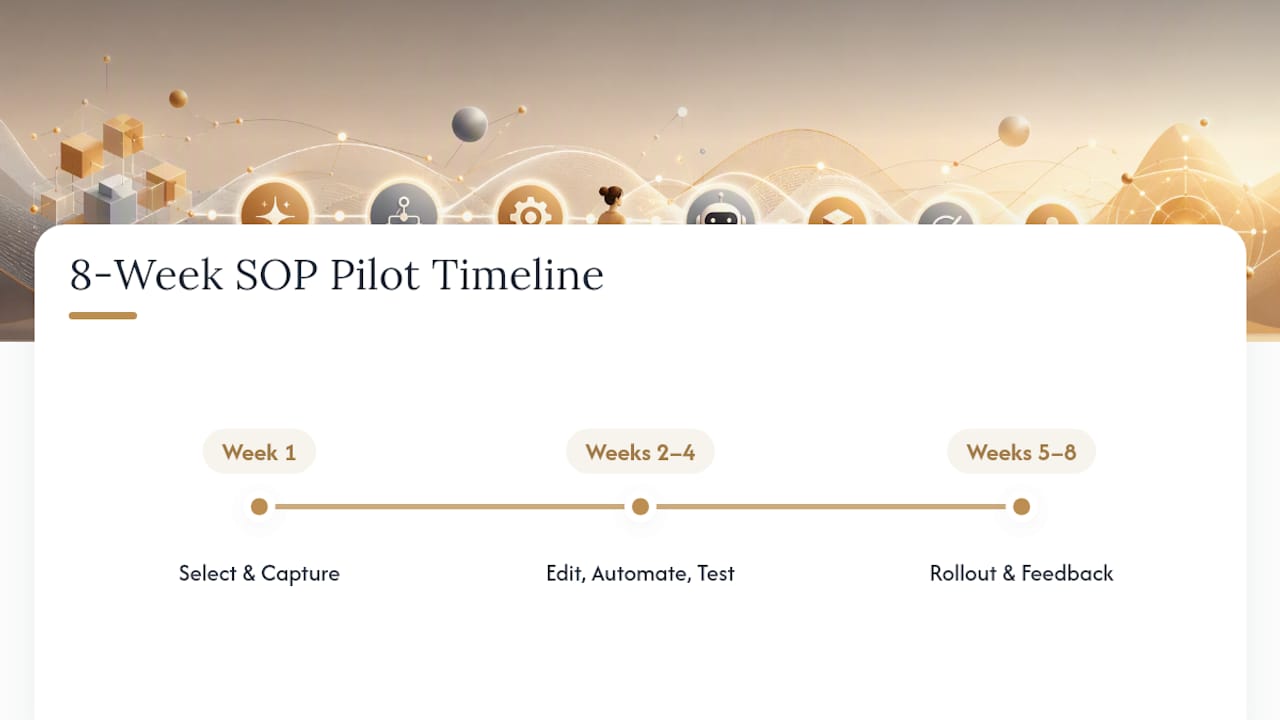
Give yourself two months, not two weeks. Week one: pick the pilot and capture the process. Weeks two through four: edit, automate, and test on real work. Weeks five through eight: roll out, gather feedback, and set your review cadence.
The most common failure mode is scope creep: trying to automate five SOPs at once instead of proving the model on one. The second most common: skipping the human review step because the AI draft “looked fine.” Solo operators who treat AI SOP creation as a fast first draft, not a finished product, get the most reliable results.
Where SOP Automation Is Headed Next
Agentic AI is pushing SOPs from static documents toward living artifacts that update themselves as work patterns shift. That’s powerful, and it’s also how process drift sneaks in unnoticed if nobody’s watching. Set governance early. Keep a human reviewing exceptions and compliance calls, always.
— Jay
Build Your SOP Automation Pilot With Yoursolobusiness
Reading about the five-stage pipeline is one thing. Actually mapping your onboarding process, choosing the right capture method, and wiring up triggers without a dedicated ops person is another. Step-by-step templates and prompt libraries built specifically for solo operators help you adapt a proven checklist instead of designing your SOP process from a blank page.

If client onboarding is your best pilot candidate, our client onboarding checklist gives you a template you can turn into an automated workflow in a weekend, not a quarter. For the broader stack decisions, the AI workflow automation guide for solopreneurs walks through which tools pair well together. Start with one SOP, one pilot, one 30-day window. Pick your process this week and see how far you get before your next status call.
Sources
FAQ
What Is SOP in Automation?
An SOP, or standard operating procedure, in automation refers to a documented process that’s been converted into a system-driven workflow, using triggers, checklists, and rules instead of relying on someone remembering the steps.
Can ChatGPT Generate SOPs?
Yes. ChatGPT and similar generative AI tools can draft SOP structure and step-by-step language from a description or transcript of a process, though the output needs human review and editing before it’s automation-ready, since AI drafts commonly miss edge cases and exceptions.
What Is the Best Software to Create SOPs?
There’s no single best tool, since the right choice depends on your process source: screen-capture generators fit software-based tasks, IDP tools fit document-heavy processes, and workflow engines matter most once you’re ready to automate execution, not just documentation.
What Does “SOP” Stand For?
SOP stands for standard operating procedure, a documented set of steps that ensures a task gets completed the same correct way every time.
How Long Does It Take to Automate an SOP?
A single well-scoped pilot SOP typically takes about one to two months from capture through rollout, though simple, low-exception processes can move faster once you have a repeatable capture and testing routine in place.





Leave a Reply