
TL;DR:
- AI workflow automation helps solopreneurs complete repetitive tasks faster and with greater accuracy. By connecting multiple business steps into reliable pipelines, they can save hours daily and scale capacity without hiring. Careful process mapping and beginner-friendly tools are essential for effective AI implementation.
AI workflow automation is the practice of using artificial intelligence to connect, execute, and manage sequences of business tasks with minimal human intervention. For solopreneurs and freelancers, this is not a luxury. It is the closest thing to hiring a full team without the payroll. Research shows that integrating AI into administrative tasks can cut processing time by over 73%, dropping a 15-minute task to just 4 minutes. That kind of efficiency gain changes what one person can realistically accomplish in a day. Yoursolobusiness was built around exactly this idea: that a solo operator with the right AI systems can compete with businesses ten times their size.
How does AI workflow automation actually work?

AI workflow automation works by chaining multiple tasks into a single automated sequence, where the output of one step feeds directly into the next. Think of it like a relay race where no baton ever gets dropped. Instead of you manually moving data from your inbox to a spreadsheet to a client report, an AI pipeline does all three steps in one continuous flow.
The key shift happening right now is the move away from rigid, rule-based automation. Autonomous AI agents can now adapt to unstructured data like emails, PDFs, and documents while handling multi-step reasoning independently. That is a massive leap from the old “if this, then that” logic that required every scenario to be pre-programmed.
Visual workflow builders make this accessible to non-technical users. You connect nodes on a canvas, where each node represents one task: summarize an email, extract a date, send a notification. Effective AI pipelines typically use between 2 and 5 nodes to stay reliable, with more complex workflows using branching paths and parallel execution for speed. Keeping your workflows in that range also makes them easier to test and fix when something breaks.
Here is what a well-designed AI workflow can include:
- Trigger: An event that starts the workflow (a new email, a form submission, a scheduled time)
- Data extraction: AI reads and pulls relevant information from unstructured sources
- Processing: AI applies logic, summarizes, classifies, or generates content
- Action: The output gets sent somewhere useful (a doc, a CRM, a client email)
- Review checkpoint: A human-in-the-loop step for high-stakes decisions
Pro Tip: Design your workflows around tasks that repeat at least weekly. If a task happens once a month, the setup cost rarely pays off. Focus your first automations on your highest-frequency, most predictable work.
What are the real efficiency gains for solopreneurs?
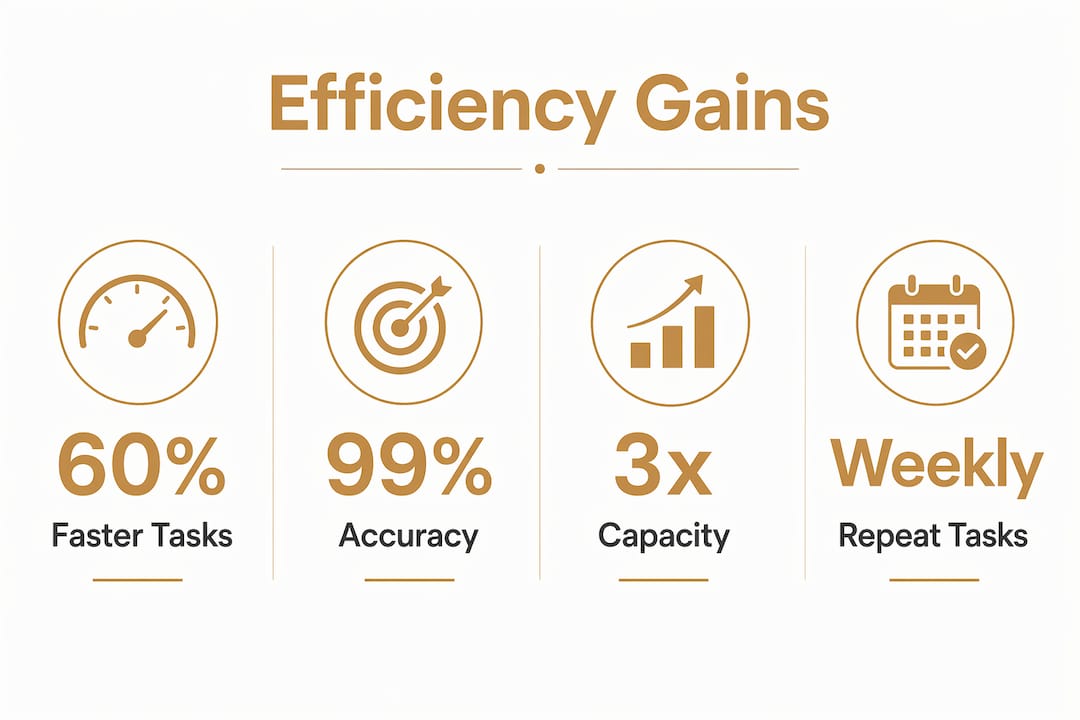
The numbers on AI-driven task management are hard to ignore. AI-enabled administrative workflows reduce human oversight time from 1 hour down to approximately 10 minutes per process. That is not a marginal improvement. That is time you get back every single day to spend on client work, strategy, or simply not burning out.
The gains show up across three areas: speed, accuracy, and capacity.
| Metric | Before AI automation | After AI automation |
|---|---|---|
| Task processing time | 15 minutes per task | 4 minutes per task |
| Human oversight per workflow | ~60 minutes | ~10 minutes |
| Error rate | Higher due to manual handling | Reduced through consistent logic |
| Scalable capacity | Limited by working hours | Grows without adding headcount |
Accuracy improves because AI applies the same logic every time, without fatigue or distraction. A human copying data between systems will eventually make a typo. An AI pipeline will not, as long as the workflow is well-designed. This matters especially for compliance-sensitive tasks like invoicing, reporting, or client onboarding.
AI automation frees solopreneurs from repetitive, structured tasks so they can focus on higher-value work. That is the real promise here. You did not start your business to spend three hours a week formatting reports. AI handles the repetitive work so you can do the work only you can do.
What are the best practices for implementing AI workflows?
The cardinal rule of AI process optimization is simple: process comes before technology. Automating a broken process does not fix it. It makes the broken parts happen faster. Before you touch any AI tool, map out what you actually do step by step.
Here is a practical sequence for building your first AI workflow:
- Map the current process. Write out every step you take manually, including the decisions you make along the way. Use a simple flowchart or even a bulleted list.
- Identify bottlenecks. Find the steps that take the longest, require the most back-and-forth, or produce the most errors. These are your best automation candidates.
- Eliminate before you automate. Remove any steps that exist only out of habit. Automating an unnecessary step wastes time and money.
- Define clear task boundaries. Each node in your workflow should do exactly one thing. Vague tasks produce vague outputs.
- Add validation checkpoints. Governed AI workflows embed human review steps for outputs that affect clients, finances, or compliance.
- Test with real data. Run your workflow on actual past examples before going live. Synthetic test data hides real-world edge cases.
- Monitor and adjust. Track error rates and processing times weekly for the first month. Adjust node logic based on what you observe.
MIT Sloan research confirms that grouping AI-compatible tasks sequentially delivers the biggest efficiency gains. The value comes from reducing handoffs between you and the AI, not from automating isolated tasks one at a time.
Pro Tip: Run your new workflow in parallel with your manual process for the first two weeks. Compare outputs side by side before you fully hand off the task. This catches errors before they reach a client.
Which tools work best for solopreneurs without coding skills?
No-code and low-code AI workflow builders have made intelligent automation genuinely accessible. You do not need a developer. You need a clear process and a willingness to experiment. Visual AI workflow builders offer drag-and-drop interfaces where you connect AI models into multi-step pipelines using reusable templates and parallel node execution.
When evaluating any tool for automating workflows with AI, look for these features:
- Drag-and-drop canvas: Build pipelines visually without writing code
- Multi-model support: Connect text, image, and data AI models in one workflow
- Template library: Start from proven workflow patterns instead of building from scratch
- Parallel execution: Run multiple branches simultaneously to cut total processing time
- Cost transparency: See exactly how much each AI model call costs before you scale
- Integration depth: Connect to the apps you already use (email, calendar, project management)
Cost transparency deserves extra attention. AI model usage fees add up quickly when workflows run hundreds of times per week. Choose tools that show per-run costs clearly, and set usage limits until you understand your actual consumption patterns.
The best approach for a solopreneur is to start with one workflow, get it working reliably, and then expand. Trying to automate everything at once leads to a pile of half-finished pipelines that nobody trusts. One solid workflow that saves you two hours a week is worth more than ten broken ones. You can find a curated breakdown of AI tools for freelancers that covers which categories of tools fit which types of work.
Key Takeaways
AI workflow automation delivers its biggest returns when you fix your processes first, then automate the parts that repeat most often.
| Point | Details |
|---|---|
| Process before technology | Map and clean up your workflow before adding any AI tool. |
| Start with 2–5 node workflows | Simpler pipelines are more reliable and easier to fix when they break. |
| Oversight time drops sharply | AI can reduce human review time from 60 minutes to around 10 minutes per workflow. |
| No-code tools are ready now | Drag-and-drop builders let solopreneurs build AI pipelines without writing code. |
| Automate repetitive tasks first | High-frequency, structured tasks deliver the fastest return on automation effort. |
What I have learned from redesigning workflows around AI
Most solopreneurs approach AI automation backwards. They find a tool that looks impressive, try to fit their existing work into it, and then wonder why it feels clunky. The real shift happens when you stop asking “what can this tool do?” and start asking “what does my workflow actually need?”
I have seen this play out repeatedly. The solopreneurs who get the most out of AI are not the ones with the most sophisticated tools. They are the ones who spent time understanding their own processes first. They know exactly where they lose time, where errors creep in, and which tasks they genuinely hate doing. That clarity makes AI implementation almost obvious.
Scaling without hiring is not just a cost decision. It is a design decision. When you build systems that grow with you, you are not just saving time today. You are building a business that can handle more clients, more projects, and more complexity without you working more hours. That is the real payoff of getting AI workflows right.
Patience matters more than most people admit. Your first workflow will not be perfect. Your second will be better. By the fifth, you will have developed an instinct for what AI handles well and what still needs a human touch. Treat it like learning any other skill. The learning curve is real, but it is shorter than you think.
— Jay
Your next step toward a fully automated solo business
Running a one-person business at full capacity takes more than good intentions. It takes the right systems working in the background while you focus on what actually moves the needle.

Yoursolobusiness has put together the Ultimate Productivity Toolkit for Solopreneurs, a curated collection of seven strategies and ten tools built specifically for solo operators who want to work smarter. It covers AI workflow integration, task management, and the exact systems Jay uses to run a one-person business at team-level output. If you are ready to stop spinning your wheels and start building workflows that actually hold up, that toolkit is your next move.
FAQ
What is AI workflow automation in simple terms?
AI workflow automation is the use of artificial intelligence to execute sequences of business tasks automatically, with little or no manual input. It connects tools, processes data, and delivers outputs without you managing each step.
How many steps should my first AI workflow have?
Start with 2–5 nodes. Research shows that pipelines in this range are the most reliable and easiest to troubleshoot when something goes wrong.
Do I need coding skills to automate workflows with AI?
No. Visual workflow builders use drag-and-drop interfaces that let solopreneurs build multi-step AI pipelines without writing a single line of code.
What tasks are best suited for AI workflow automation?
AI performs best on bounded, repetitive, structured tasks anchored to stable data, such as data entry, report generation, email sorting, and client onboarding steps.
How do I avoid automating a broken process?
Map your current workflow manually before touching any tool. Identify and remove unnecessary steps first. Process stability is the foundation of any successful AI implementation.





Leave a Reply