AI customer support can reliably automate routine requests, speed up first response, and give your human agents a serious productivity boost, but it still needs guardrails for anything emotionally complicated or high stakes. That’s the honest verdict. The technology has moved past “cute chatbot that annoys everyone” and into genuinely useful territory, especially when you combine chat, email, and voice automation with a human safety net.
Here’s what to expect once you deploy it correctly:
- Ticket deflection on repetitive questions (order status, password resets, billing basics)
- Faster response times, often cutting first-reply wait from hours to seconds
- Agent-assist uplift, where AI drafts replies and pulls context so your team resolves tickets faster instead of hunting through old threads
IBM notes that AI in customer service now spans virtual assistants, intelligent routing, sentiment detection, and quality monitoring, not just a single chatbot widget. Where it breaks down is empathy-heavy or ambiguous situations, like a grieving customer disputing a charge or a technical failure with no clear cause. Keep humans in the loop for those, and let AI carry the repetitive weight.
Key Takeaways
AI customer support succeeds when low-risk automation, human oversight, and honest KPI tracking are built into the rollout from the very first pilot.
| Point | Details |
|---|---|
| Start with low-risk intents | Automate order status, password resets, and FAQs before touching billing or cancellations. |
| Track CSAT alongside deflection | Watching automation metrics alone hides customer experience problems until they compound. |
| Build governance before scaling | Require confidence thresholds, human approval gates, and a rollback plan before expanding. |
| Budget for ongoing tuning | Knowledge bases and RAG systems need regular updates to stay accurate as your business changes. |
| Solopreneurs need low-maintenance tools | Scripted triage, email autoresponders, and agent-assist templates cover most solo ticket volume. |
What Counts as AI Customer Support Today
The term covers more ground than most people assume. AI customer support isn’t one chatbot, it’s a stack of capabilities that can work independently or together, depending on your setup.
The core categories look like this:
- AI chatbots that handle scripted, rules-based conversations for FAQs and simple transactions
- Autonomous agents that can complete multi-step tasks (processing a refund, updating an address, canceling a subscription) without a human touching the ticket
- Agent copilot or assist tools that sit alongside your human team, suggesting replies and surfacing relevant knowledge base articles mid-conversation
- Triage systems that read incoming tickets and route them by urgency, topic, or customer value
- Sentiment detection that flags frustrated or angry customers for priority human review
- Knowledge retrieval, often built on retrieval-augmented generation (RAG), that pulls accurate answers from your internal docs instead of letting a model guess
Channel coverage varies quite a bit. In chat, AI handles the widest range of tasks because the format is short, structured, and forgiving of quick back-and-forth. In email, AI works well for drafting responses to common requests, though most teams still route complex threads to a human before sending. Voice is the trickiest channel: speech recognition has improved, but tone and urgency are harder to parse than typed text, so voice AI often works best for routing calls and handling simple account tasks rather than emotionally charged conversations. Messaging apps (SMS, WhatsApp, Instagram DMs) tend to mirror chat capabilities but need extra attention to response formatting and character limits.
A typical workflow strings a few of these together. A customer messages about a late shipment. Triage reads the intent and checks order status automatically. If the answer is straightforward, a chatbot resolves it instantly using knowledge retrieval. If the shipment is genuinely lost or the customer sounds upset, sentiment detection flags the ticket and routes it to a human agent, who gets a copilot summary of everything that already happened. That handoff, done well, is where most of the perceived “magic” of AI customer support actually lives. It’s not one tool doing everything. It’s several tools passing the baton cleanly.
What Business Benefits Should You Actually Expect?
The business case for AI customer support rests on four measurable outcomes: deflection, reduced handle time, round-the-clock coverage, and more consistent answers across agents and shifts.
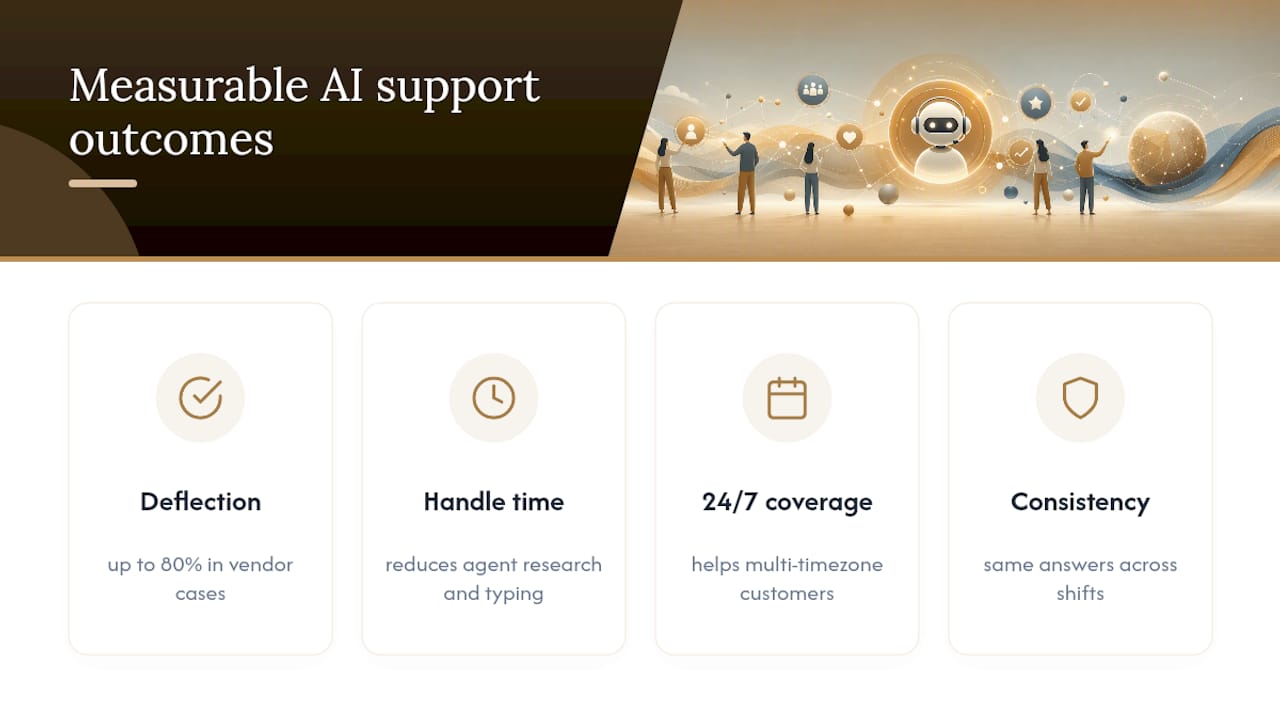
Deflection is the headline metric most companies chase first. It just means the percentage of tickets resolved without a human ever touching them. Vendor pages report deflection rates as high as 80% within 90 days in some case studies, though those numbers reflect vendor-selected examples and specific ticket types, not a universal outcome you should bake into your first-quarter projections.
Reduced handle time shows up even on tickets that do reach a human, because agent-assist tools cut the research and typing work agents used to do manually. 24/7 coverage matters most for businesses with customers in multiple time zones or industries where a delayed answer means a lost sale. Consistency is the quieter win: AI doesn’t have an off day, doesn’t forget the return policy, and doesn’t answer the same question two different ways depending on who’s on shift.
Realistic timelines matter more than the hype suggests. Most pilots show meaningful signal within 1 to 3 months if you scope them to low-risk, high-volume intents like order tracking or account questions. Trying to automate your most complicated support category on day one is how pilots fail and get shelved. Set your initial targets modestly. Zendesk’s research on AI-driven support benefits points to proactive issue resolution and better operational consistency as some of the earliest wins teams notice, often before deflection numbers even become statistically meaningful. Economic research on automation adoption backs this up with a caution: productivity gains are real, but they require deliberate governance to avoid unintended consequences, like agents disengaging from the work AI took over or customers gaming a system that’s too permissive.
Track deflection rate, average handle time, CSAT, and escalation rate from week one. If you’re only watching deflection, you’ll miss the moment your AI starts quietly annoying customers even as it hits its automation targets.
How Do You Roll Out AI Customer Support Without Breaking Things?
Rolling out AI customer support works best as a staged process: inventory what you have, pilot small, evaluate rigorously, then scale with governance already built in. Skipping steps is the single most common reason pilots underdeliver.
-
Inventory your data and systems first. Pull your last 6 to 12 months of tickets and categorize them by intent. You’re looking for your highest-volume, lowest-complexity categories, the ones where 80% of questions have a nearly identical answer. Also map which systems (CRM, order management, billing) an AI tool would need access to.
-
Identify stakeholders early. Support leads, IT/security, and at least one frontline agent should weigh in before you pick a pilot scope. Frontline agents especially will tell you which “simple” tickets are actually landmines.
-
Design the pilot around low-risk intents. Password resets, shipping status, and basic account questions are ideal starting points. Avoid billing disputes, cancellations, or anything involving refund amounts until you’ve built confidence in the system’s accuracy.
-
Set human-in-the-loop rules before launch, not after. Decide up front which categories require human approval before a response goes out, and which confidence threshold triggers an automatic escalation.
-
Build your evaluation criteria before you collect data, not after you’ve seen the numbers. Pick a holdout group of tickets handled the old way so you have a fair comparison, and define your success threshold for deflection and CSAT ahead of time.
-
Run the pilot for 4 to 8 weeks minimum. Shorter windows don’t give you enough ticket volume to trust the results, especially for lower-frequency intents.
-
Evaluate honestly, including tickets where the AI got it wrong. A practitioner discussion on implementing AI support notes that RAG-based chatbots can hit strong accuracy on internal documentation, but only with ongoing tuning as your knowledge base changes. Budget for that maintenance from day one.
-
Scale in phases, adding one new intent category or channel at a time rather than flipping every switch at once. Build integrations (CRM, order systems, billing) incrementally so a broken connector doesn’t take down your whole support flow.
-
Require governance sign-off before full rollout. That means documented escalation paths, a rollback plan if error rates spike, and a named owner responsible for reviewing AI performance weekly.
Pro Tip: Keep a running “miss log” during your pilot, a simple spreadsheet of every ticket the AI got wrong or a human had to override. Patterns in that log tell you far more about readiness to scale than your deflection percentage does.
Choosing the Right Tool Category (Without Picking a Vendor Yet)
Before you evaluate any specific product, sort your needs into categories. Vendors change fast; the categories don’t.
The main categories you’ll run into:
- AI-native helpdesks that build ticketing, routing, and resolution into a single connected system rather than bolting AI onto legacy software
- Assistant or copilot layers that sit on top of your existing helpdesk, focused purely on agent assist rather than replacing your ticketing system
- Retrieval-augmented generation (RAG) plus knowledge management systems, which pull answers from your documentation and are only as good as that documentation is current
- Triage and intent engines, which specialize in reading and routing tickets rather than resolving them
- Omnichannel orchestration platforms, which coordinate chat, email, voice, and messaging so a customer doesn’t have to repeat themselves across channels
- QA and monitoring tools, which score AI-generated conversations for accuracy and tone, often flagging conversations for human review
Some AI-native platforms position themselves as end-to-end systems, combining routing, resolution, and analytics into a single continuously tuned model, a promising direction but still a vendor claim worth testing against your own ticket data before committing.
When evaluating any category, weigh four things: how deeply the tool integrates with systems you already run, how it handles data access and security (especially with customer PII flowing through a model), what governance features it ships with out of the box, and how easy it is for a non-technical person to update the knowledge base without filing an IT ticket.

If you’re a small team or solopreneur, lean toward tools with minimal setup and low ongoing maintenance; a lightweight copilot layer or a simple RAG-based FAQ bot usually beats a full AI-native helpdesk migration. Midsize and enterprise teams have more room to justify a bigger platform switch, since they can absorb the integration cost across a larger ticket volume and dedicated staff to manage it.
Where AI Customer Support Goes Wrong (and How to Catch It)
The biggest risks in AI customer support are hallucination, data leakage, and tone mismatches, and all three are manageable with the right controls in place before launch, not after a customer complains.

Hallucination happens when a model generates a confident, plausible-sounding answer that’s simply wrong, like inventing a return policy that doesn’t exist. Data leakage is the risk of a model surfacing information it shouldn’t, whether that’s another customer’s order details or internal notes never meant for external eyes. Tone mismatches are subtler but just as damaging: a cheerful automated reply to a customer who just described a genuine problem reads as tone deaf, and customers notice.
Operational controls that address these directly:
- Confidence thresholds that automatically escalate a ticket to a human when the model’s certainty drops below a set level
- Canned fallback responses for anything outside the AI’s known scope, rather than letting it improvise
- Human approval gates on any response involving money, cancellations, or account changes
- Sentiment routing that pulls frustrated or upset customers out of the automated queue immediately
Modern platforms increasingly build traceability and QA scoring directly into the system, tracing model decisions and scoring conversations so teams can audit what happened after the fact rather than guessing. That kind of session tracing and model routing should be a checklist item during procurement, not an afterthought you request after something goes wrong.
For your KPI dashboard, track AI resolution rate, escalation rate, CSAT, average handle time, and hallucination incidents (however you define and log them internally) side by side. Watching automation metrics without customer experience metrics gives you an incomplete picture. HBR’s research on empathy makes the case plainly: efficiency gains only hold up if you design deliberately for empathy alongside automation, measuring both in parallel rather than treating CSAT as a lagging afterthought.
Notes for Solopreneurs and Small Teams
Running support as a team of one changes the calculus entirely. You don’t need an enterprise rollout, you need three or four reliable automations that don’t require a babysitter.
The lightest, highest-leverage starting points:
- Scripted triage for your most common FAQ categories, set up once and left mostly alone
- Email autoresponders tied directly to your knowledge base, so answers stay consistent without you rewriting the same reply for the fortieth time
- An agent-assist prompt template that pulls ticket context and drafts a reply for you to review and send, cutting response time without removing your judgment from the loop
That combination, laid out in more detail in Your Solo Business’s guide to AI workflow automation, tends to cover 60 to 70% of a solo operator’s ticket volume with almost no ongoing maintenance beyond the occasional knowledge base update.
The trade-off that matters most for solopreneurs isn’t cost, it’s maintenance. A cheap tool that needs weekly tuning will eat more of your time than an expensive one that runs quietly in the background.
Cost matters, but maintenance time is the real currency you’re spending. A $20 monthly tool that demands two hours of your attention every week is more expensive than a $60 tool you set up once and barely touch again. If you’re building out a broader support and operations stack, Sonance AI’s blog covers practical workflow examples worth reviewing before you commit to a single connector or platform.
Ready to Build Your Support Stack?
You don’t need to overhaul your entire operation to get real value from AI customer support. Start with one workflow, measure it honestly, and expand from there. If you’re evaluating which tools actually fit a lean setup, Yoursolobusiness’s guide to the best AI tools breaks down options by use case instead of hype, so you can pick something that matches your actual ticket volume rather than a marketing deck.
What the Conventional Advice Gets Wrong
Most guides on this topic sell AI customer support as a plug-and-play deflection machine. That framing sets teams up to chase the wrong number. Deflection rate looks great in a board deck and terrible in practice if it climbs while CSAT quietly drops, which is exactly what happens when a business automates before its knowledge base is actually accurate.
The bigger blind spot is maintenance. Vendors sell the pilot, not the eighteen months of knowledge base upkeep that follows. Every real implementation story, including practitioner accounts of RAG chatbots in production, mentions ongoing tuning as a fact of life, not an exception.
If you take one thing from this piece, prioritize your evaluation criteria before you pick a tool category, and pick governance before you pick scale. Teams that reverse that order end up bolting on safety controls after a bad customer interaction goes public, which is a far more expensive lesson than building it right the first time.
— Jay
Sources
- AI in Customer Service – IBM
- Customers expect empathy. Here’s how to deliver it – HBR
- National Bureau of Economic Research paper (W31161)
- AI for Customer Support & CRM | InteractiveAI