

TL;DR:
- The minimal AI stack for solopreneurs in 2026 includes ChatGPT, Claude, Perplexity AI, and automation tools to handle most daily tasks. Combining a general assistant, a specialized tool, and workflow automation maximizes productivity while avoiding tool overload. Building repeatable systems around these tools ensures consistent, efficient business operations.
If you only take one thing from this article, let it be this: you don’t need to subscribe to every AI tool on the market. The minimal stack that actually moves the needle for most solopreneurs in 2026 looks like this:
- ChatGPT (GPT-4o) – best all-around assistant for drafting, brainstorming, and multimodal tasks; free tier available, Plus at $20/month
- Claude – best for long-form writing and careful reasoning; free tier solid, Pro at $20/month
- Perplexity AI – best for research with cited sources; free tier usable, Pro at $20/month
- Cursor – best AI-native code editor for developers; free tier limited, paid from $20/month
- Midjourney – best for stylized image generation; no free tier, starts at $10/month
- ElevenLabs – best for voice synthesis and audio production; free tier available, paid from $5/month
- Zapier AI / n8n – best for automating repeatable workflows; Zapier free tier limited, n8n self-hostable
Effective AI workflows are multi-tool stacks rather than a single winner. Pick a general assistant, add one specialist, and automate the repetitive stuff. That’s the whole playbook.
Best AI tools 2026: side-by-side comparison
The table below covers the top picks across the dimensions that actually affect your decision. Quick-filter tags are in the “Best for” column; price badges follow each tool name.
| Tool | Best for | Pricing / free tier | Platforms & integrations | Model strengths | Data & privacy | Ease of use | Notable limitations |
|---|---|---|---|---|---|---|---|
| ChatGPT / GPT-4o | Drafting, multimodal tasks, plugins | Free; Plus $20/mo | API, plugins, browser, mobile | Broadest feature set; multimodal | Opt-out available; enterprise controls on Business/Enterprise plans | Very easy | Can hallucinate; free tier rate-limited |
| Claude | Long-form writing, reasoning, large docs | Free; Pro $20/mo; Max – | API, MCP connectors, Slack, Google Workspace | Long-context (up to 1M tokens); careful reasoning | Safety-focused; no training on user data (paid) | Easy | Slower on complex tasks; no image generation |
| Google Gemini | Google Workspace users, multimodal research | Free; Advanced in Google One AI Premium | API, Gmail, Drive, Docs, Sheets, Slides | Large context windows; multimodal | Google data practices apply | Easy | Tightly coupled to Google ecosystem |
| Perplexity AI | Research, cited answers | Free; Pro $20/mo | API, browser extension | Citation-first; Model Council cross-checks | Sources cited; no training on queries (Pro) | Very easy | Less useful for creative or generative tasks |
| GitHub Copilot | Developers in existing IDEs | Free tier; paid from $10/mo | VS Code, JetBrains, Neovim, CLI | Inline completions; code generation | GitHub/Microsoft data policies | Easy for devs | Limited outside IDE context |
| Cursor | AI-native development, multi-file refactors | Free tier; paid from $20/mo | VS Code-compatible, API | Project-level AI orchestration | Data processed by underlying models | Moderate | Steeper learning curve than Copilot |
| Grammarly | Everyday writing quality | Free; Premium $20/mo | Browser, Google Docs, MS Office, Slack | Grammar, tone, clarity checks | No training on user content (paid) | Very easy | Limited generative capability |
| Adobe Firefly | Commercially safe image generation | 25 credits/mo free; paid via Creative Cloud | Adobe apps, API | Licensed training data; image + audio | Adobe data policies; commercially safe | Easy | Requires Creative Cloud for full access |
| Midjourney | Stylized, artistic visuals | No free tier; from $10/mo | Discord, web interface | Consistently high artistic quality | Images not private on lower tiers | Moderate | No API; Discord-first workflow |
| ElevenLabs | Voice synthesis, audio production | Free tier; paid from $5/mo | API, integrations | Realistic voice cloning and TTS | User controls voice data | Easy | Voice cloning raises ethical considerations |
| Suno | AI music generation | Free tier; paid from $8/mo | Web, API | Full song generation from text prompts | Commercial rights on paid plans | Very easy | Output quality varies by genre |
| Kling AI | Video generation from text/image | Free credits; paid plans | Web, API | High-quality video synthesis | Data processed per platform terms | Moderate | Render times can be slow |
| InVideo AI | AI video creation and editing | Free tier; paid from $20/mo | Web, API | Template-based video with AI scripts | Standard data policies | Very easy | Less control over fine details |
| NotebookLM | Research synthesis, audio summaries | Free | Google Workspace integration | Grounded in uploaded sources; podcast-style summaries | Data stays in your Google account | Very easy | Limited to uploaded documents |
| Zapier AI | No-code workflow automation | Free tier; paid from $20/mo | 6,000+ app integrations | AI steps in multi-app workflows | Standard enterprise controls | Easy | Costs scale with task volume |
| n8n | Technical, self-hosted automation | Free (self-hosted); cloud paid | Open source; 6,000+ integrations | Flexible; code-friendly | Self-hosted = full data control | Moderate | Requires technical setup |
| Otter.ai | Meeting transcription, notes | Free tier; paid from $20/mo | Zoom, Teams, Google Meet | Real-time transcription; CRM sync | Standard data policies | Very easy | Accuracy drops with accents |
| Fathom | Meeting summaries, CRM sync | Unlimited recording on free tier | Zoom, Teams, Google Meet | AI summaries; CRM integrations | GDPR-compliant | Very easy | Limited to meeting use case |
A few tools from the mandatory coverage list deserve a quick placement note. DataLab is a data science notebook environment with AI-assisted code generation, best for analysts who want a Jupyter-like experience with AI built in. Claude Code is Anthropic’s terminal-based agentic coding tool, suited for developers who want Claude’s reasoning applied directly to their codebase. Google Antigravity is Google Labs’ AI-powered IDE, free and worth a look if you want a browser-based coding environment. Leonardo.Ai and Ideogram are strong Midjourney alternatives for image generation, with Ideogram excelling at text-in-image tasks. Nano Banana is an emerging AI video tool in the short-form content space. Consensus is a research tool that surfaces peer-reviewed evidence, useful for anyone who needs academic-grade sourcing. Adobe Podcast (Enhance Speech) cleans up audio recordings in seconds, free to try. Lovable.dev, V0, Bolt.new, and Replit are AI-powered app-building platforms that let non-developers ship functional web apps from a prompt. Devin is Cognition’s autonomous AI software engineer, designed for complex, multi-step coding tasks.
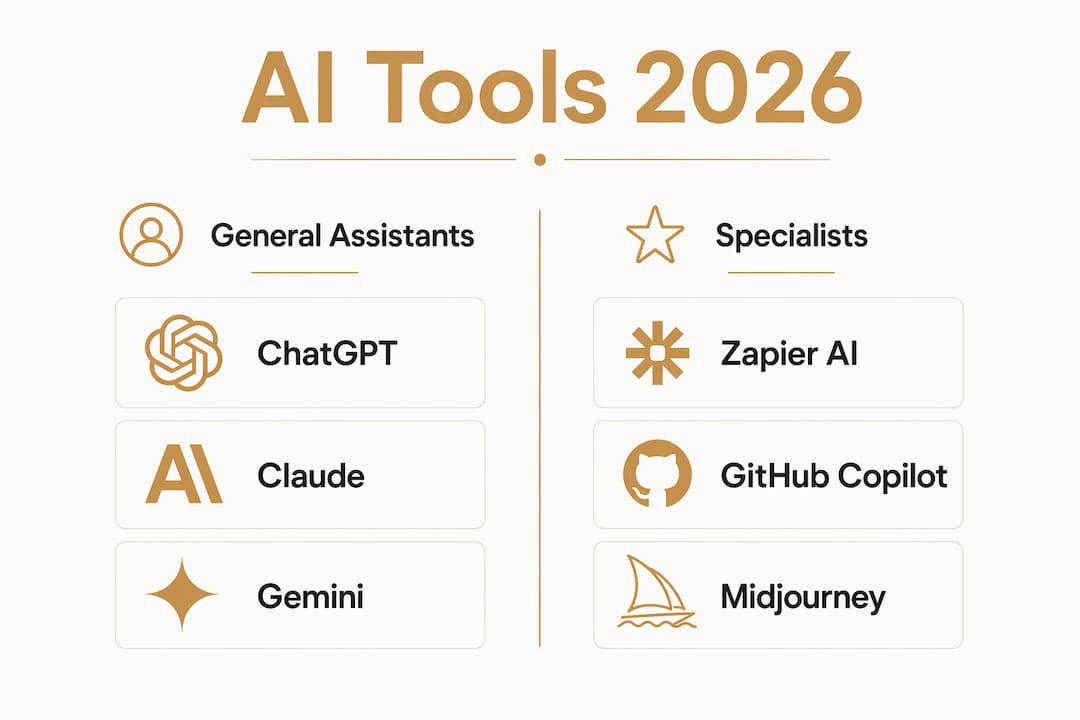
Which AI tool is right for your use case?
Category leaders matter more for production workflows than marginal model quality differences. Pick the specialist that fits the daily bottleneck, not the one with the best benchmark score.
Writing and content
- ChatGPT (GPT-4o) – drafting, repurposing, and ideation at scale; best when you need breadth and plugin integrations
- Claude – long-form articles, careful editing, and document analysis; prefer it when tone and nuance matter
- Grammarly – the safety net for everything you publish; free core checks cover most everyday needs
Pro Tip: Use Claude to draft, then run Grammarly before publishing. Two tools, one clean output, no editor needed.
Research and search
- Perplexity AI – cited answers for fact-heavy research; the Model Council feature cross-checks results across models to reduce hallucination risk
- Consensus – peer-reviewed evidence for academic or science-adjacent topics
- NotebookLM – synthesizes your own uploaded documents and generates podcast-style audio summaries
Pro Tip: Use Perplexity to gather initial sources, then paste them into Claude or ChatGPT for synthesis. This two-step process cuts hallucination risk while keeping speed high.
Coding and development
- GitHub Copilot – lowest friction for developers already inside VS Code or JetBrains; inline completions with minimal setup
- Cursor – the better choice when you need project-level AI actions, multi-file refactors, and an AI-native workflow
- Claude Code / Replit / Bolt.new – for agentic coding tasks or shipping a functional app without a full dev environment
Pro Tip: Evaluate a coding assistant on how it handles multi-file refactors and code-review workflows, not just single-line completions. That’s where the real productivity gap shows up.
Image generation
- Midjourney – highest artistic ceiling for stylized visuals; no free tier, but the output quality justifies the cost for creative work
- Adobe Firefly – commercially licensed images that integrate directly into Adobe apps; 25 free credits per month make it easy to start
- Leonardo.Ai / Ideogram – strong alternatives; Ideogram is the go-to when you need readable text inside an image
Pro Tip: If you’re producing assets for client work or paid products, use Adobe Firefly. The commercial licensing clarity alone is worth it.
Video and audio
- InVideo AI / Kling AI – text-to-video for content creators; InVideo for template-based scripts, Kling AI for higher-fidelity generation
- ElevenLabs – voice synthesis and text-to-speech with realistic cloning; API-friendly for automated pipelines
- Suno / Adobe Podcast (Enhance Speech) – Suno for AI-generated music beds, Adobe Podcast for cleaning up recorded audio in one click
Pro Tip: Adobe Podcast’s Enhance Speech feature is free and takes 30 seconds to remove background noise from a recording. Use it before every podcast episode or video voiceover.
Meeting productivity
- Fathom – unlimited recording on the free tier makes it the easiest starting point for meeting capture
- Otter.ai – real-time transcription with CRM sync; better for teams that need searchable meeting archives
- Fireflies – strong for automated note distribution and integration with sales CRMs
Pro Tip: Run Fathom on every client call for 30 days. You’ll stop taking manual notes entirely, and the AI summaries are good enough to paste directly into a follow-up email.
Automation and workflows
- Zapier AI – no-code automation with AI steps; best when you need to connect many apps without writing code
- n8n – self-hostable and code-friendly; the right call when data privacy or cost at scale is a concern
- Google Gemini (Spark) – for Google Workspace users, Gemini Spark runs background tasks across Gmail, Calendar, Drive, and Docs autonomously
Pro Tip: Automation tools deliver the highest ROI for solopreneurs because they replace recurring manual processes, not just one-off creative tasks. Build one automation per week for a month and watch your calendar open up.
What each top pick actually does well
ChatGPT and Claude: the two assistants worth paying for
ChatGPT, Claude, and Gemini are the dominant general assistants in 2026, but they’re not interchangeable. ChatGPT’s strength is breadth: the plugin ecosystem, multimodal inputs, and the new ChatGPT Work feature that pulls context from your files and apps to produce polished deliverables. For solopreneurs who need one tool to do many things, GPT-4o is still the anchor.

Claude earns its place for a different reason. Its long-context handling, now up to 1M tokens at mid-tier pricing, means you can drop an entire report, contract, or codebase into a single session and get coherent analysis back. The writing quality is noticeably cleaner for long-form content, and the safety-focused responses reduce the chance of confidently wrong outputs. Claude Pro and Max tiers give you meaningful options depending on volume.
Perplexity AI: research that shows its work
Perplexity’s core value is simple: it cites its sources. Every answer comes with links, so you can verify claims rather than trust them blindly. The Pro tier’s Model Council feature runs your query across multiple models and surfaces the consensus, which meaningfully reduces single-model hallucination risk. For anyone doing research-heavy work, that’s a genuine workflow upgrade over asking a general assistant the same question.
Cursor vs. GitHub Copilot: two different bets on coding
Cursor and GitHub Copilot remain the leading AI coding tools in 2026, but they serve different workflows. Copilot is the lower-friction choice: it installs as a plugin into VS Code, JetBrains, or Neovim and starts generating inline completions immediately. If you’re already comfortable in your IDE and want AI assistance without changing your setup, Copilot is the right call.
Cursor is a different proposition. It’s an AI-native editor built around project-level actions: multi-file refactors, codebase-wide search, and AI-orchestrated changes that span multiple files at once. The learning curve is steeper, but for developers who want AI woven into every part of their workflow, Cursor changes the game in a way Copilot doesn’t.
Image and media tools: pick by output type
Midjourney leads on artistic quality for stylized visuals. Adobe Firefly leads on commercial safety. Those two criteria rarely overlap, so the choice is usually obvious: if you’re making assets for client deliverables or products you sell, use Firefly. If you’re making creative content for your own brand, Midjourney’s ceiling is higher.

For audio, ElevenLabs handles voice synthesis with an API that plugs into automated content pipelines. Adobe Podcast’s Enhance Speech feature handles the opposite problem: cleaning up audio you’ve already recorded. Both are worth having in your toolkit, and both have usable free tiers.
Automation: the highest-ROI category for solopreneurs
Automation platforms like Zapier AI and n8n replace recurring manual processes rather than single creative tasks, which is why they deliver outsized returns for solo operators. Zapier’s no-code interface and 6,000+ app integrations make it the fastest path to automation. n8n’s self-hosted option gives you full data control and lower costs at scale, but requires more technical comfort to set up. For most solopreneurs, Zapier is the right starting point; n8n is the upgrade when you hit Zapier’s pricing ceiling or need to keep data on your own infrastructure.
| Tool | Entry paid price | Notable free tier |
|---|---|---|
| ChatGPT Plus | $20/mo | GPT-4o access limited on free |
| Claude Pro | $20/mo | Free tier includes web search and MCP |
| Perplexity Pro | $20/mo | Free tier usable for light research |
| GitHub Copilot | $10/mo | Free tier for individuals |
| Cursor | $20/mo | Free tier with limited completions |
| Grammarly Premium | $20/mo | Free core grammar checks |
| Adobe Firefly | Via Creative Cloud | 25 credits/mo free |
| Midjourney | $10/mo | No free tier |
| ElevenLabs | $5/mo | Free tier with usage limits |
| Fathom | Paid plans available | Unlimited recording free |
| Zapier AI | $20/mo | Free tier with task limits |
How to pick the right AI tool for your work
The best AI tool for you is the one that solves a daily bottleneck, not the one with the most impressive demo. Here’s a repeatable framework for making that call.
- Name the primary job. What specific task eats the most time in your week? Writing, coding, research, meeting notes, or repetitive data work? That task determines your first tool.
- Set a budget shape. Decide whether you’re starting free or willing to pay from day one. Many tools have genuinely usable free tiers: Fathom for meetings, Grammarly for writing, Adobe Firefly for images. Start free before upgrading wherever possible.
- Check your privacy needs. If you’re handling client data, contracts, or sensitive business information, verify the tool’s data handling policy before you paste anything in. Look for enterprise controls, opt-out of training, and clear data retention terms. For the most sensitive work, consider a private, offline AI assistant that keeps data entirely on your own hardware.
- Map your integration points. A tool that connects to your existing apps (Google Workspace, Slack, your CRM) is worth more than a slightly better standalone tool. Check for API access and native integrations before committing.
- Run a 7–14 day trial with a real task. Don’t test a tool on toy examples. Pick one actual deliverable from your work and complete it using the new tool. Measure time spent, output quality, and how often you had to correct the AI’s work.
- Set a success criterion before you start. “Does this save me at least 2 hours per week on this task?” is a concrete bar. If the tool clears it after two weeks, keep it. If it doesn’t, move on.
Red flags to watch for: opaque data use policies, pricing that jumps sharply after a free trial, no API access for a tool you plan to automate, and free tiers that are so limited they’re effectively demos rather than real working tools.
Pro Tip: Most power users run 2–4 tools that interlock around a central assistant. Build your stack around one general assistant, add one specialist for your biggest bottleneck, and only add a third tool when the first two can’t cover a recurring need.
How we chose and tested these tools
Every tool in this article was evaluated during 2026 using hands-on trial runs, integration tests, and output quality checks across real solopreneur workflows. The evaluation criteria follow the same methodology independent reviewers use: output quality, API availability, pricing transparency, and production readiness.
- Output quality: tested on real tasks (drafting, coding, research, image generation) rather than benchmark prompts
- Reliability: checked for consistency across multiple sessions, not just a single impressive result
- Price/value: assessed free tier usefulness and whether paid tiers justify the cost for a solo operator
- Integrations: verified API access, native app connections, and IDE plugin availability
- Privacy controls: reviewed data handling policies, training opt-outs, and enterprise controls
Limitations to note: AI tools change fast. Features, pricing, and policies shift frequently, sometimes without notice. Re-check each vendor’s current pricing and terms before committing to a paid plan. This article reflects conditions as evaluated in 2026; some details may have changed by the time you read it.
Key Takeaways
Effective AI workflows in 2026 are multi-tool stacks, not single-winner decisions: pair a general assistant with one or two specialists and automate the repetitive layer.
| Point | Details |
|---|---|
| Start with a minimal stack | One general assistant (ChatGPT or Claude) plus one specialist covers most daily bottlenecks. |
| Free tiers are genuinely useful | Fathom, Grammarly, and Adobe Firefly all offer real working free tiers – start there before paying. |
| Automate the repetitive layer | Zapier AI or n8n delivers the highest ROI for solopreneurs by replacing recurring manual tasks. |
| Privacy check before you paste | Always verify data handling policies before sharing client or sensitive business data with any cloud AI tool. |
| Yoursolobusiness AI Toolkit | The Yoursolobusiness AI Toolkit maps these top picks to prompt libraries and implementation checklists so you can skip the trial-and-error phase. |
The real reason your AI stack isn’t working yet
Here’s an opinion worth sitting with: most solopreneurs aren’t failing because they picked the wrong AI tool. They’re failing because they’re using AI tools the same way they used Google, one question at a time, instead of building repeatable systems around them.
The tools in this list are genuinely good. ChatGPT and Claude can replace hours of drafting work. Zapier AI can eliminate entire categories of manual tasks. Perplexity can cut research time in half. But none of that happens automatically just because you have a subscription. The gap between “I tried ChatGPT” and “I run my business on an AI stack” is a systems gap, not a tools gap.
What actually works is treating your AI tools like a workflow, not a search engine. You define the task, you build the prompt, you connect the output to the next step, and you automate the whole thing so it runs without you touching it. That’s what building a one-person business system actually looks like in practice.
The other thing most lists won’t tell you: the best AI tool for your business is almost never the most powerful one. It’s the one you actually use consistently, the one that fits your existing workflow without requiring you to rebuild everything around it. Start there.
The Yoursolobusiness AI Toolkit cuts your setup time
You’ve got the shortlist. Now the question is implementation, and that’s where most solopreneurs stall out. The Yoursolobusiness AI Toolkit is built specifically for this moment: it gives you the prompt libraries, implementation checklists, and workflow playbooks that map directly to the tools covered in this article.

Instead of spending two weeks figuring out how to get Claude to write in your voice, or how to wire Zapier to your content pipeline, the toolkit gives you the exact prompts and step-by-step setups that work. It’s the shortcut from “I have the tools” to “the tools are actually running my business.” If you want to automate your business with AI without starting from scratch, the toolkit is the fastest path there. Grab it at Yoursolobusiness and start using your AI stack like a system, not a search engine.
Disclosure: some links in this article are affiliate links. If you purchase through them, Yoursolobusiness may earn a commission at no extra cost to you.
Useful sources and further reading
| Source | Why it’s useful | Date |
|---|---|---|
| Best AI Tools in 2026: The Top 25 Across Every Category (Rework) | 25-tool roundup across 10 categories; strong on pricing and stack recommendations | 2026 |
| Best AI Tools 2026: Independent Picks by Category (AI News) | Methodology-first evaluation: output quality, API access, pricing transparency, production readiness | 2026 |
| The Best AI Tools for 2026 (Stackademic) | Hands-on comparison of ChatGPT, Claude, and Gemini with use-case differentiation | 2026 |
| Best AI Tools 2026: Tools Worth Paying For (Penponder) | Focused on paid tools with honest assessments of Cursor vs. Copilot and image generation | 2026 |
| Best AI Apps in 2026 (Gumloop) | Practitioner-written list with real usage notes; strong on automation and coding tools | 2026 |
| Forbes AI 2026 List | Annual ranking of top AI companies; useful for tracking which vendors are scaling and which are stalling | 2026 |
| Private AI Assistant Options (Greencube) | Covers local and offline AI assistant options for privacy-first use cases | 2026 |
| AI for Solopreneurs (Yoursolobusiness) | Yoursolobusiness’s own comparison of productivity AI tools for solo founders | 2026 |
| AI Workflow Automation for Solopreneurs (Yoursolobusiness) | Implementation guide for automating recurring workflows; pairs with the automation category above | 2026 |