

For most solo sellers, ThriveCart is the stronger pick because its fixed lifetime pricing means your checkout costs don’t climb as your revenue does. SamCart still wins if you want a polished, drag-and-drop page builder and don’t mind a monthly bill that grows with your plan tier. The real decision usually comes down to one thing: do you care more about long-term cost control or editor experience?
TL;DR:
- ThriveCart’s fixed lifetime cost benefits solo sellers who experience consistent revenue growth, avoiding ongoing subscription fees that increase with sales volume.
- SamCart’s lower entry price may suit low-revenue businesses initially, but the higher monthly tiers quickly become expensive as sales scale.
- SamCart’s visual drag-and-drop editor simplifies branded page creation, while ThriveCart’s funnel logic offers more control over post-sale behavior.
- ThriveCart supports stacking multiple order bumps and comprehensive affiliate management without extra plugins, unlike SamCart’s limited bump options at lower tiers.
- Calculating the break-even point based on your revenue can determine whether ThriveCart’s upfront cost or SamCart’s monthly fees better suit your business long-term.
ThriveCart vs SamCart: The Quick Comparison
You don’t need to read ten review sites to shortlist these two. Here’s how they stack up on the dimensions that actually change your day-to-day workflow and your bottom line.
| Feature | ThriveCart | SamCart |
|---|---|---|
| Pricing model | One-time lifetime fee or annual plan | Monthly subscription (Core, Pro, Enterprise) |
| Typical cost | Fixed cost, no revenue-based increases | Core starts at $79/mo, Pro at $199/mo |
| Best for | Sellers who want predictable costs and deep upsell control | Creators who want a branded, visual checkout fast |
| Standout feature | Multiple order bumps and Affiliate Center | Drag-and-drop page builder with SamPay |
| Payment processors | Stripe, PayPal, and others via integrations | SamPay, Stripe, PayPal (third-party unlocked on higher tiers) |
| Affiliate features | Built into Pro+, with granular tracking | Included in Pro tier and above |
| Funnels/upsells | Advanced bump stacking, funnel routing | 1-Click Upsells on Pro tier |
| A/B testing | Included in feature set | Included on Pro tier |
| Course/membership support | Native support plus integrations | Native support plus integrations |
ThriveCart pros:
- No recurring fee eating into margins as you scale revenue
- Deep affiliate tracking and payout tools baked into Pro+
- Multiple order bumps let you stack offers without extra plugins
ThriveCart cons:
- Upfront cost feels steeper if you’re just testing an idea
- Editor is functional, not flashy, if visual design is your priority
SamCart pros:
- Drag-and-drop editor makes branded pages fast to build
- SamPay gives you a native processing option without stitching tools together
- 7-day trial lets you test before committing.
SamCart cons:
- Monthly cost rises as you move up tiers for features you’ll likely need
- Core tier locks out A/B testing and the Affiliate Center
Here’s the cost implication in one line: at low revenue, SamCart’s entry price feels cheaper, but once you’re doing consistent monthly sales, ThriveCart’s fixed cost usually protects your margin better over a full year.
What Will Each Platform Actually Cost You?
Let’s run the numbers the way a solo seller actually experiences them, not the way a pricing page presents them.
If you’re making around $2,000 a month, SamCart’s Core plan at $79 a month feels manageable, and ThriveCart’s upfront cost might feel like a stretch. But run the same math at $8,000 a month, and you’re likely bumping into SamCart’s Pro tier at $199 a month just to unlock 1-Click Upsells and A/B testing, features ThriveCart includes without a recurring charge.
At $25,000 a month, the gap becomes obvious. You’re paying SamCart’s subscription every single month indefinitely, while ThriveCart’s lifetime option has already paid for itself and stopped costing you anything new.
- $2k/month seller: SamCart’s low entry cost wins short term; ThriveCart wins if you plan to grow.
- $8k/month seller: Costs start converging once you need SamCart’s Pro-tier conversion tools.
- $25k/month seller: ThriveCart’s fixed pricing clearly outperforms an ongoing subscription.
Pro Tip: Calculate your break-even point before you buy. Divide ThriveCart’s lifetime cost by SamCart’s monthly Pro price. Whatever number of months you get is your payback window. Most solo sellers hit it faster than they expect.
ThriveCart’s own comparison materials frame this explicitly: fixed pricing means growth doesn’t trigger a bigger bill, which matters more the longer you plan to run your business.
Which Checkout Editor Fits How You Actually Work?
SamCart and ThriveCart solve the same problem with two different mindsets, and that difference shows up the moment you open the editor.
SamCart leans into a visual, drag-and-drop builder. You can move elements around, preview your branding live, and ship a polished checkout page without touching code. Independent reviews consistently describe this as SamCart’s biggest strength for creators who want something that looks custom without the custom-dev price tag.
ThriveCart takes a different approach. Instead of a visual canvas, you’re working with funnel logic, conversion settings, and backend rules that control exactly what happens after someone clicks buy. It’s less about how the page looks and more about how the sale behaves.
- If branded design matters most, SamCart’s editor will feel faster and more intuitive out of the box.
- If you want granular control over what happens post-purchase, ThriveCart’s funnel engine gives you more levers.
- Both support embeddable carts and popups, so you’re not locked into standalone checkout pages either way.
- Template quality is solid on both platforms, and neither should slow down mobile load times in a way that tanks conversions.
Pro Tip: Don’t pick your editor based on looks alone. A beautiful checkout that converts 2% worse than a plain one still costs you money every month. Test both with real traffic before committing long term.
Which Platform Grows Your Average Order Value Faster?
Order bumps and upsells are where solo sellers quietly leave money on the table, and this is one area where the two platforms genuinely diverge.
ThriveCart’s Pro+ tier supports multiple order bumps stacked on a single checkout, plus a built-in Affiliate Center with granular tracking and payout handling. That combination means you can run a full affiliate program and a layered upsell sequence without bolting on separate tools.
SamCart’s Pro tier unlocks 1-Click Upsells, A/B testing, and its own Affiliate Center, but you’ll need that higher tier to access them. Core-tier users are working with a more limited toolkit.
- ThriveCart lets you stack several order bumps per offer; SamCart’s bump options are simpler.
- Both platforms support one-click upsells and downsells, but ThriveCart’s routing logic gives you more branching control.
- Affiliate tracking is available on both, though ThriveCart’s cookie window and payout tools show up as standard Pro+ features rather than an upsell.
- Higher-tier gating on SamCart means budget-conscious sellers may not see these tools until they upgrade.
Order bumps and affiliate stacking genuinely move the needle on average order value when configured well, so this section deserves more weight than it usually gets in a quick platform comparison.
Which Payment Methods and Integrations Can You Rely On?
Your checkout is only as good as the payment options it supports, and this is where SamCart’s native processing sets it apart.
SamCart built SamPay as an in-house processing option, alongside standard Stripe and PayPal support. Third-party processor flexibility opens up once you’re on Pro or Enterprise. ThriveCart works through Stripe, PayPal, and additional integrations, leaning on established processors rather than a proprietary option.
- Both platforms connect to Zapier and offer API/webhook access for custom automations.
- Email and membership platform integrations are available natively on both, cutting down on manual list syncing.
- ThriveCart includes sales tax automation as part of its core feature set, which saves you from a separate tax tool.
- Subscription dunning (recovering failed recurring payments) is supported on both platforms, though setup depth varies by tier.
If your stack already includes tools like the ones covered in email follow-up automation guides, either platform should slot in without major rework.
What Should You Actually Be Measuring?
Neither platform is short on data. The question is whether you’re looking at the numbers that matter for a solo operation.
Both ThriveCart and SamCart give you built-in dashboards covering sales, conversion rates, and coupon performance. SamCart’s Pro tier adds formal A/B testing so you can run two checkout variants against each other. ThriveCart includes split testing as part of its standard feature set, letting you compare offers without an extra paid tier.
- Track conversion rate first. It’s the fastest signal that something in your funnel is working or broken.
- Watch average order value weekly if you’re running bumps or upsells.
- If you sell subscriptions, churn matters more than new signups long term.
- Lifetime value (LTV) tells you whether your acquisition cost actually makes sense.
UTM tracking is available on both, so attribution isn’t a reason to pick one over the other.
How Fast Can You Actually Launch?
Setup speed matters more than most comparison articles admit, especially when you’re launching solo with no dev team to lean on.
Template-driven launches are fast on both platforms, but SamCart’s visual builder tends to get a simple product page live quicker if you’re not customizing much. ThriveCart’s funnel logic takes a bit more upfront thinking, though it pays off once you’re running multi-step offers.
- Both offer email and chat support; dedicated account management typically shows up on higher tiers.
- Documentation is solid on both, with ThriveCart’s help center covering Pro+ features in detail.
- Most setup friction comes from connecting third-party tools, not the core checkout itself.
Pro Tip: Build your first funnel with dummy products before connecting real payment processors. It’s the fastest way to catch configuration mistakes before a customer does.
Which Platform Fits Your Business Model?
Match your business type to the platform built for how you actually sell:
- Course creators who need integrated membership access should lean ThriveCart for its affiliate depth, though selling online courses successfully depends more on your content than your cart.
- Physical product sellers running one-time offers with upsells will benefit from ThriveCart’s order bump stacking.
- Coaches and consultants selling branded digital products may prefer SamCart’s visual polish, especially early on. See this guide for consultants for platform-agnostic setup tips.
- Membership site owners with recurring billing needs should weigh ThriveCart’s fixed cost against long-term subscription math.
- Agencies managing client funnels may value SamCart’s faster page builds across multiple client brands.
Match your top three priorities (cost, design, or upsell depth) to the platform that wins on that axis, then run a small test funnel before committing fully.
The Bottom Line on ThriveCart vs SamCart
ThriveCart is the stronger long-term pick for most solo sellers because fixed pricing protects your margin as revenue grows. Your three next steps: run the trial checklist on both, A/B test your actual checkout page with real traffic, and if you’re migrating from another cart, back up your customer and product data first. Whichever you choose, revisit the pricing math once your monthly revenue changes.
How Should a Solo Founder Actually Prioritize This Decision?
Most comparison articles treat checkout platforms like a one-time decision you make and forget. Your checkout should evolve alongside how much you can automate around it.
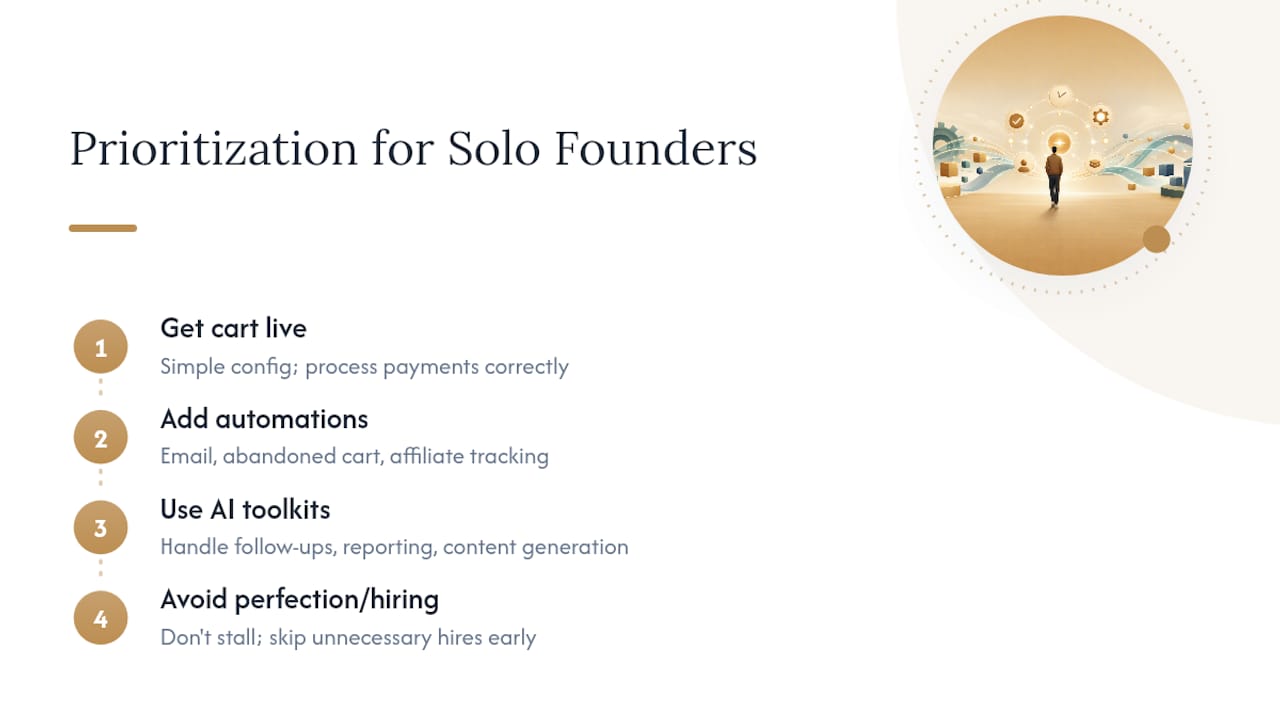
Here’s what I’d prioritize if I were launching today: get the cart live first with the simplest configuration that processes payments correctly, then layer in automations. Email follow-up, abandoned cart recovery, and affiliate tracking all matter, but they matter less than having a working checkout on day one. Trying to perfect every feature before launch is how solo founders stall for months.
Once you’re live, pair your cart with lightweight automation tools instead of hiring help you don’t need yet. An AI toolkit built for solopreneurs can handle the repetitive work, customer follow-ups, reporting summaries, and content generation, that used to require a virtual assistant. That’s the actual leverage point, not which platform has a slightly nicer button color.
– Jay
How To Set Up and Automate Faster
Picking between ThriveCart and SamCart solves your checkout problem. It doesn’t solve everything else that comes after: the follow-up emails, the reporting you should be checking weekly, the onboarding sequence you keep meaning to build. Resources exist to help one-person operations run at team-level output.

Our AI research tools guide helps you evaluate add-ons and integrations faster instead of spending a weekend reading comparison threads. Pair that with the productivity toolkit for solopreneurs to automate the busywork that piles up once your funnel starts generating real traffic, things like customer follow-ups, reporting checks, and content repurposing. If you’re ready to see the full stack we recommend, start with our AI tools guide and pick one automation to implement this week.